Skip to content
View in the app

A better way to browse. Learn more.

BariatricPal

A full-screen app on your home screen with push notifications, badges and more.

To install this app on iOS and iPadOS
  1. Tap the Share icon in Safari
  2. Scroll the menu and tap Add to Home Screen.
  3. Tap Add in the top-right corner.
To install this app on Android
  1. Tap the 3-dot menu (⋮) in the top-right corner of the browser.
  2. Tap Add to Home screen or Install app.
  3. Confirm by tapping Install.

New clothes....

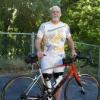
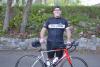
My biking kit was getting kind of baggy, so it was time for new clothes (The jersey was given to me by a vendor last year and I couldn't fit into it to save my life).

post-346877-1381314163148_thumb.jpg

  • Replies 9
  • Views 894
  • Created
  • Last Reply

Featured Replies

You look GREAT! And I KNOW fitting into that jersey FELT great :)

Looking good Terry, I thought that was a new profile pic :)

  • Author

Looking good Terry, I thought that was a new profile pic :)

It is now. ;)

Well look at you! woohoo!

  • Author

**T**

looking good handsome tattoo'd friend of mine

Yea, when I came out and my wife saw me, I almost didn't get to go biking :wub: but, I have my priorities :D

Lol wtg, Terry! You look great! Though I disagree with your priorities!

  • Author

Lol wtg, Terry! You look great! Though I disagree with your priorities!

I just promised her I would put them back on this evening... :o

Hahaha! Good compromise!!

Archived

This topic is now archived and is closed to further replies.

Trending Products

PatchAid Vitamin Patches

Account

Navigation

Search

Search

Configure browser push notifications

Chrome (Android)
  1. Tap the lock icon next to the address bar.
  2. Tap Permissions → Notifications.
  3. Adjust your preference.
Chrome (Desktop)
  1. Click the padlock icon in the address bar.
  2. Select Site settings.
  3. Find Notifications and adjust your preference.