Skip to content
View in the app

A better way to browse. Learn more.

BariatricPal

A full-screen app on your home screen with push notifications, badges and more.

To install this app on iOS and iPadOS
  1. Tap the Share icon in Safari
  2. Scroll the menu and tap Add to Home Screen.
  3. Tap Add in the top-right corner.
To install this app on Android
  1. Tap the 3-dot menu (⋮) in the top-right corner of the browser.
  2. Tap Add to Home screen or Install app.
  3. Confirm by tapping Install.

Nsv

  • Popular Post

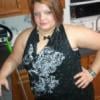
Today i put on a shirt and for the first time in years all i saw was my chest! Not a belly sicking out past them! Awh * sigh* the little things that mean so much!

' FEELIN IT '

  • Replies 7
  • Views 710
  • Created
  • Last Reply

Top Posters In This Topic

Featured Replies

Great NSV! Best wishes on your future weight losses and NSV'S! I can guarantee there are more to come. Karen

  • Author

This is my first! And blew me away even with the little weight iv lost it gave me a wow feeling! Im excited for more!

' FEELIN IT '

1st of many

Today i put on a shirt and for the first time in years all i saw was my chest! Not a belly sicking out past them! Awh * sigh* the little things that mean so much!

' FEELIN IT '

~claps~ so happy for you...and when ever I see a NSV i open that post first...I so love reading milestones everyone is celebrating .... GREAT JOB

  • Author

Thank you this is totally big and im happy to share i love reading them as well!

' FEELIN IT '

I agree with dee -- seeing everyone's victories are such a motivation!! Congratulations to you and keep moving in the right direction!! :)

Join the conversation

You can post now and register later. If you have an account, sign in now to post with your account.

Guest
Reply to this topic...

Trending Products

PatchAid Vitamin Patches

Account

Navigation

Search

Search

Configure browser push notifications

Chrome (Android)
  1. Tap the lock icon next to the address bar.
  2. Tap Permissions → Notifications.
  3. Adjust your preference.
Chrome (Desktop)
  1. Click the padlock icon in the address bar.
  2. Select Site settings.
  3. Find Notifications and adjust your preference.