Start here
Where are you in your journey?
Choose the path that fits today. We’ll take you to the most useful discussions.
- GLP-1 medication Zepbound, Wegovy, access, side effects, progress, and support.
- Before surgery Compare procedures, plan ahead, and get honest pre-op answers.
- Post-op Recovery, food stages, symptoms, and support.
- Long-term Regain, labs, habits, and life after the honeymoon.
- Revision Explore revision options, complications, and next steps.

tashalovesu28820
LAP-BAND Patients
-
Joined
-
Last visited
-
-
-
 another from AZ, May 2009
-
 Arizona, May 2009
-
 National Conference in Arizona, May 2009
-
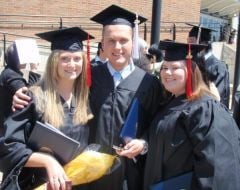 Lindsey, Chris, and I at Graduation from Drake U. May 2009
-
 Chris and I at Graduation, May 2009
-
 Mom and I graduation weekend 2009
-
 my friend Lindsey and May 2009
-
 my friend Chris and I, Drake Relays 2009
-
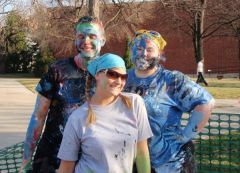 My roommates and I April 2008
-
 Streetpainting 2008
-
 April 2008
-
 March 2008
-
 Feb/March 2008
-
 At my heaviest Feb 2009
-
 Same wedding 2008
-
 Friends wedding Sept 2008
-
 Conference in 2008
-
 New Year's Eve 2007/2008
-
-
So, i've been on here a couple of days now, and after reading stories, looking at pictures, and just looking at forums. I should have joined a long time ago.I've seen the site before, but never really thought that it would inspire me as much as it has these past couple of days. Thanks to everyone who shares on here. You are all inspirations in your own way. I look forward to talking to many and learning lots :scared2:
-
I was feeling your same frustrations. Just hang in there and it will happen. I also have a 10cc band. I didn't start to get good restriction until I hit about 8. I just went in at the end of last week and got .5cc put in to bring me to 9.5cc, I'm to the point right now where I'm barely able to take anything in, so I might need to go get a small unfill. Don't worry you'll hit that spot
-
This page should tell you how, if you haven't already gotten it :scared2: http://www.lapbandtalk.com/f17/ticker-tutorial-pictures-41782/