Ken S.
Administrators
-
Joined
-
Last visited
Bariatric journey
Multiple procedures
Since 2012
Considering options
Everything posted by Ken S.
-
@Briswife15 Thank you for reporting this. I've sent you an email requesting some additional information and will look out for your response so we can get to the bottom of this.
-
Hi @Hop_Scotch, Is this an issue that you're running into frequently, or was it an isolated incident with this specific user posting spam?
-
Hey everyone, can you please have a try now?
-
Hi Bianca, I’m looking into this now. As a test, I’m posting this from the iOS app.
-
Hi @FluffyChix, I believe this issue should be resolved now. You may have to refresh your cache to see it updated. If you continue to have issues, please let me know!
-
Thanks for the update! I've sent her an email as well, if you could let her know, we'd love to help her out to get this fixed!
-
Thank you for the screenshot, Looking into what this could be right now.
-
Thank you for the heads up! We're working for a fix on this - you do not need to change your email address ?
-
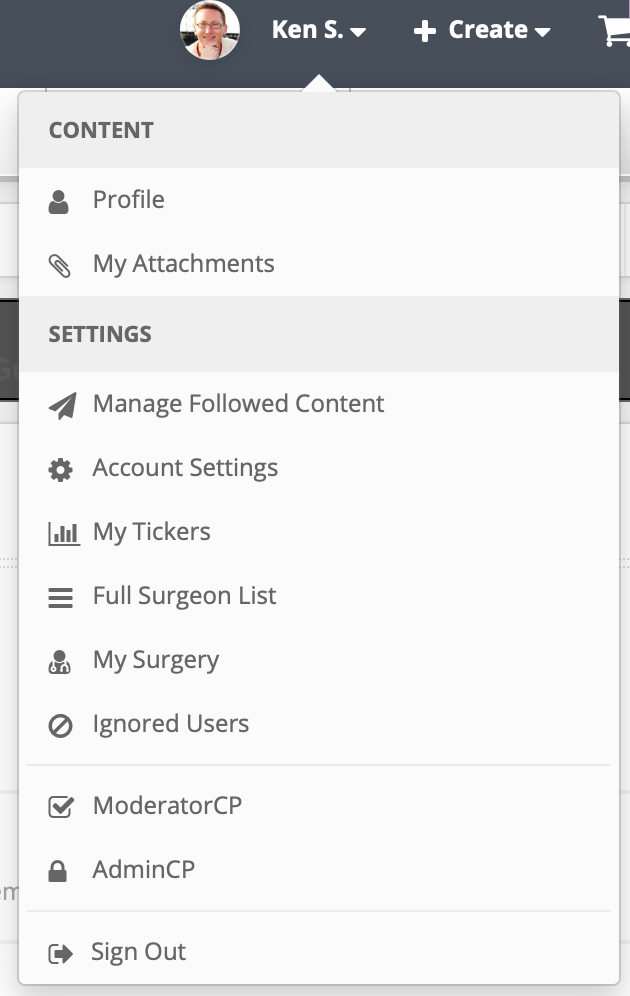
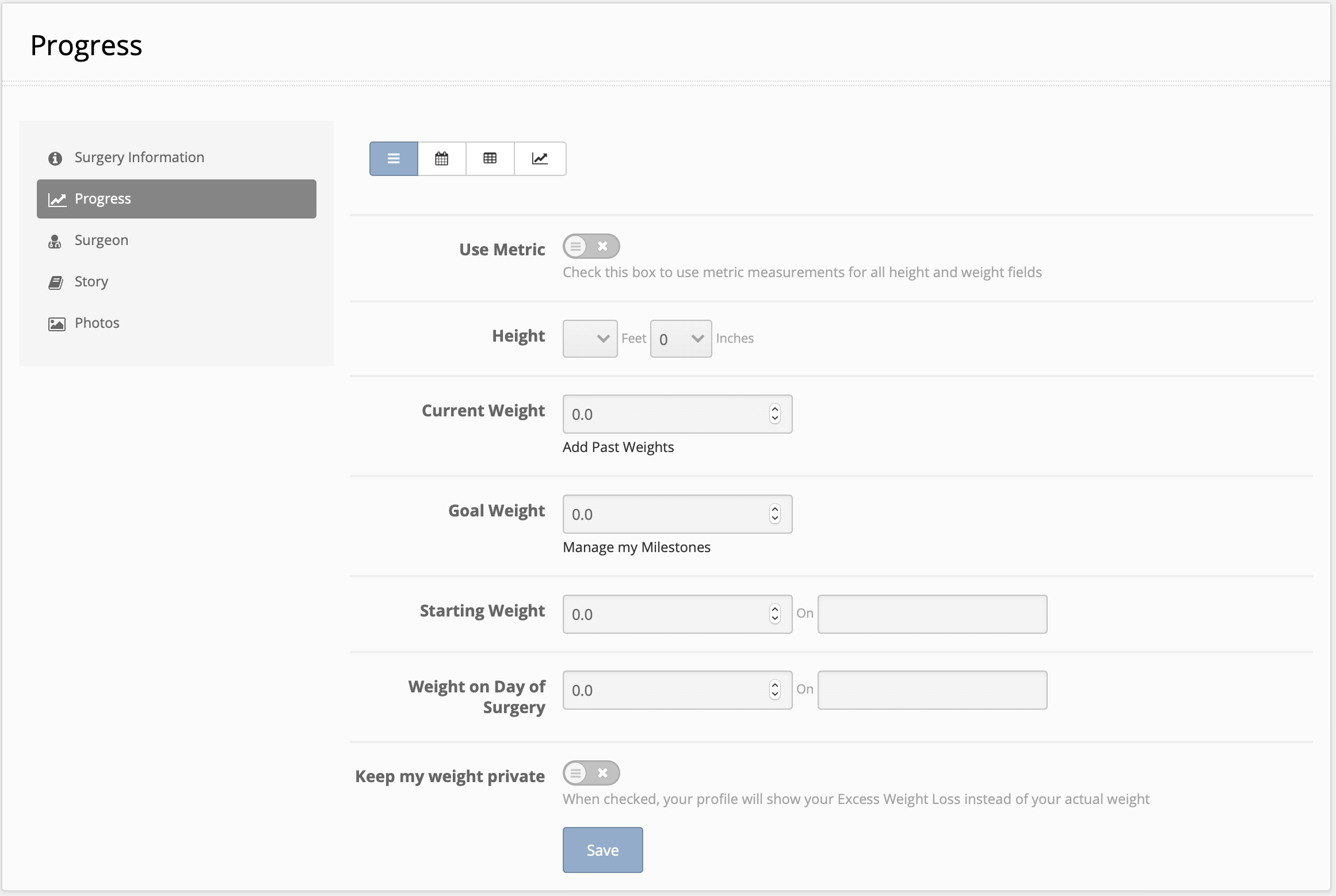
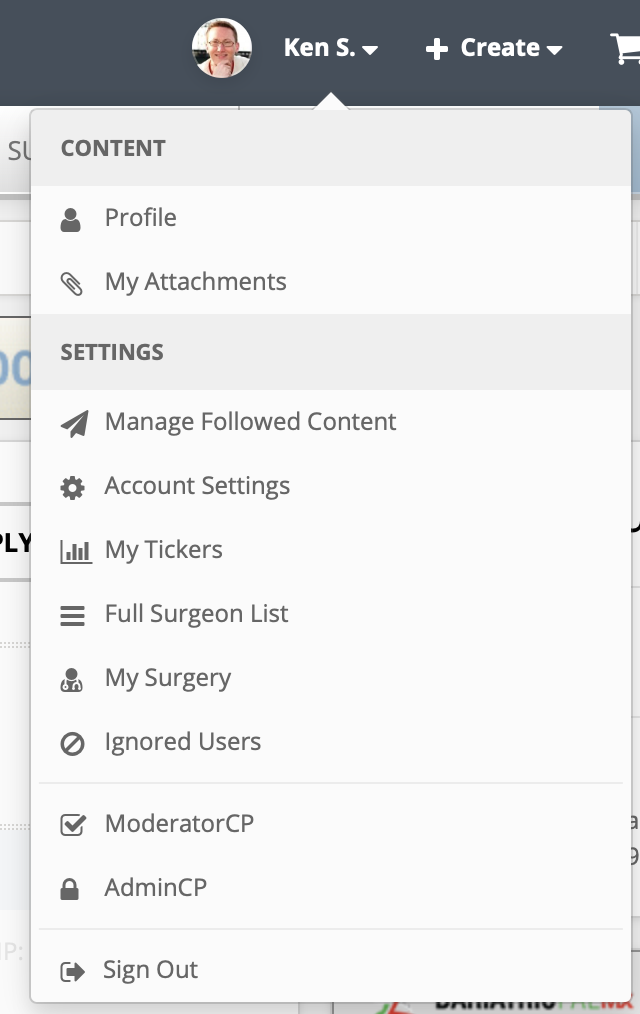
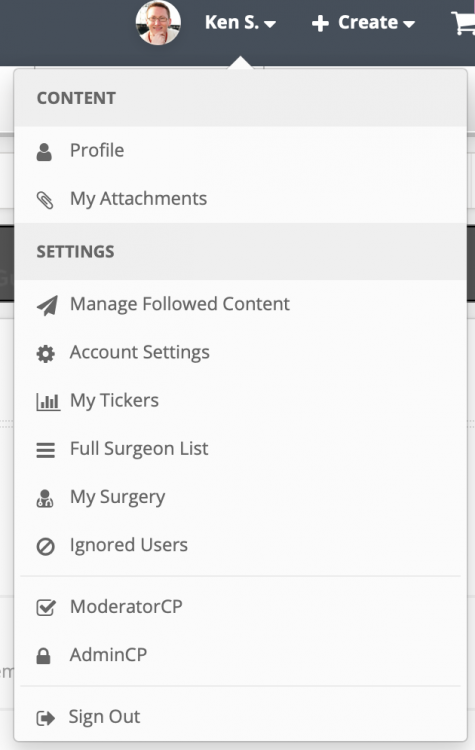
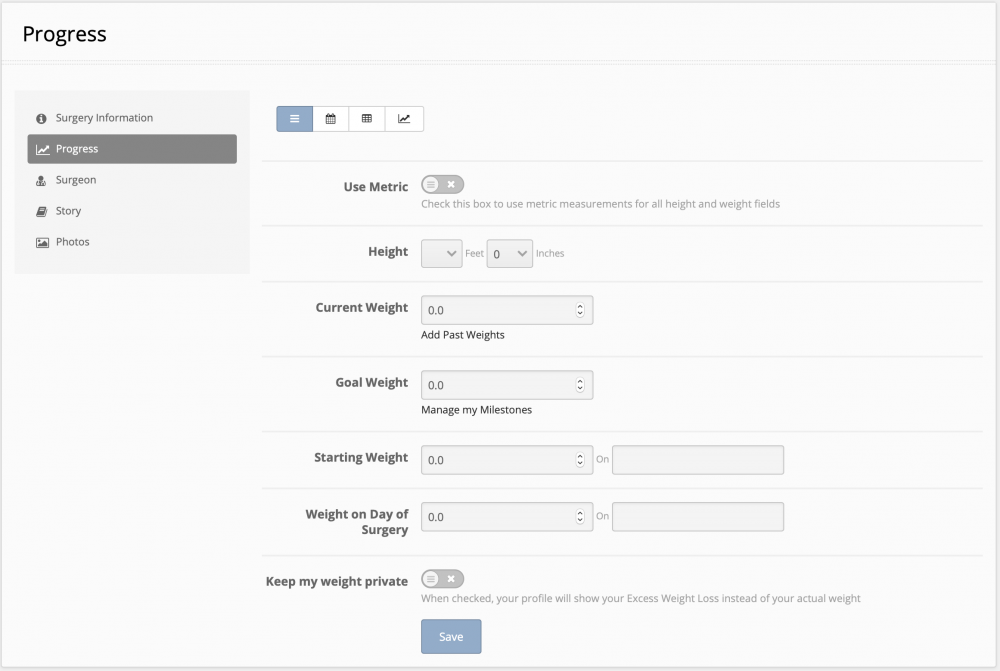
Hi @The 56 Bypass, you can update your stats (including your weight) by clicking on your username and then selecting "My Surgery" from the drop down. Once there, selecting the "Progress" tab from the left side will bring you to where you need to be ?
-
Hi @Matt Z, they should still appear there, but they shouldn't be from after I responded saying it was fixed - they should be from prior to that. They should drop out of your notifications altogether over the next few weeks.
-
Hi @Matt Z - I believe we've got this issue resolved - please let me know if you're still having issues!
-
Thanks Matt! We're looking into this now.
-
Hi there @GettinSkinnywithit, thank you for bringing this to our attention! It should now be resolved ?
-
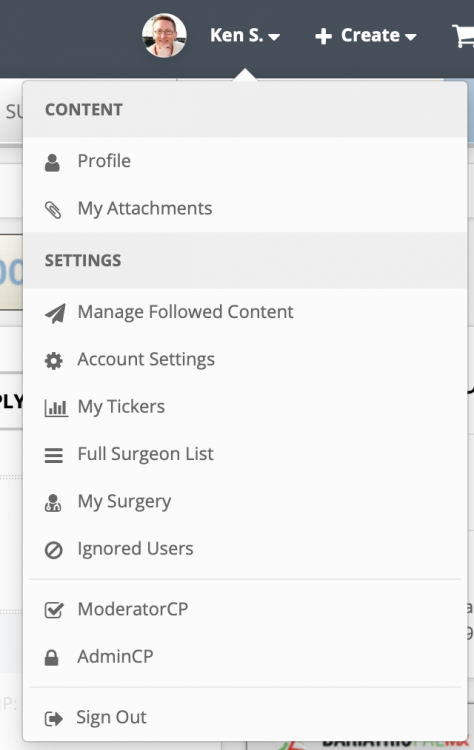
Hi there, You should have a large review box within the My Surgery settings on the "Surgeon" tab where you can leave a review for your surgeon. We agree that you should definitely have a button on the surgeon profile, if you've already selected that surgeon - so we've gone ahead and added a "Review" button to surgeon profiles. If you view your surgeon profile, you should be able to see it now ? Please let me know if this works for you ?
-
You got it! We believe we've resolved this issue - can you let me know if it's been OK so far today? Thanks in advance!
-
Hi again and thank you! We've gone ahead and added Dr. Oviedo to our surgeon directory ?. Please let us know if you have any more questions. Thanks again and have a great day!
-
Hi @mousecat88 we'd love to add your surgeon to the directory! Do you happen to have a URL for his practice website? Thanks in advance ?
-
@FluffyChix Aha, that message is indeed generated by our system, and it's nothing to be afraid of ?. The message is being generated in error - we're looking into it as we speak! I'll update you when we have it all sorted out, thank you for letting us know!
-
Hi @FluffyChix, was the password popup that you saw initially displayed directly on BariatricPal.com? Or was it an email that received or something along those lines?
-
Hi @Kimmie K! Thank you for reaching out. I've gone ahead and added Dr. Brewer to our surgeon directory, you should be able to add him as your surgeon now ? Also, please feel free to let Dr. Brewer know that we provide surgeons with profiles free of charge. If he's interested in filling out the rest of the information on the profile, we can get him setup to do so. Thanks again and please don't hesitate to let us know if you have any further issues.
-
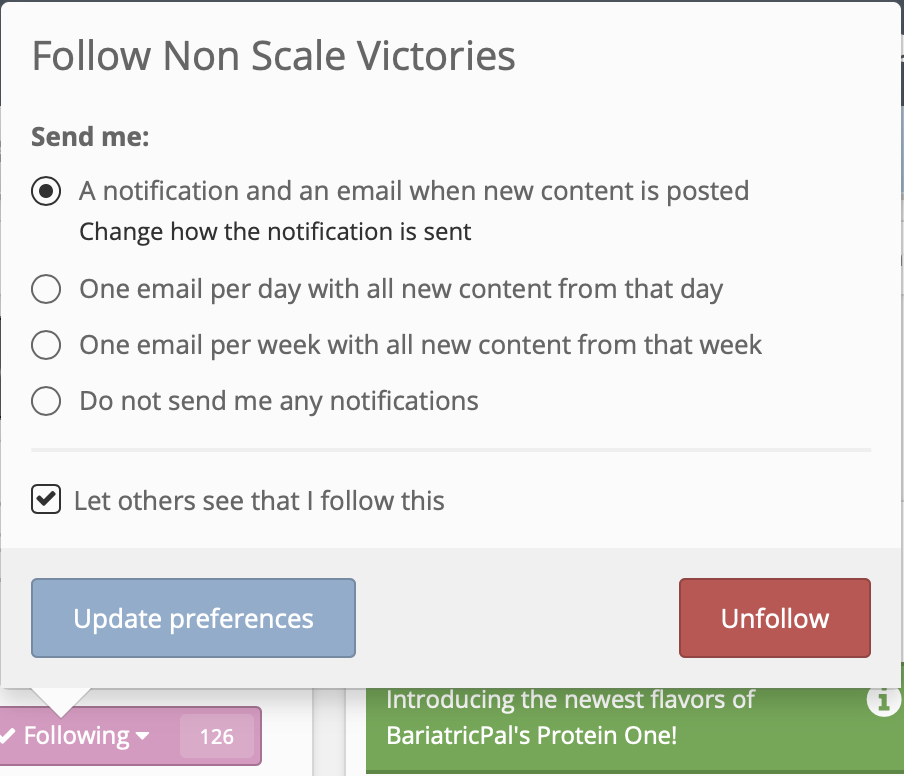
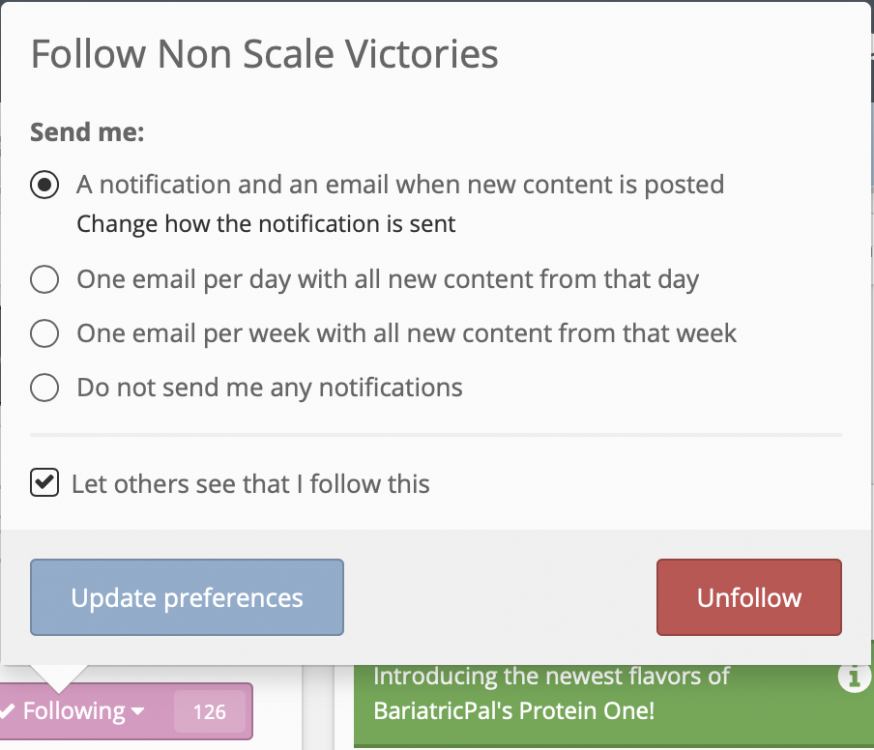
Hi @Orchids&Dragons! It looks like you have several topics that you follow in which you chose to receive notifications immediately. The settings you showed us are for content that you follow automatically, in other words, topics that you reply to and topics that you create yourself. When you press on the "Follow" button on a topic, however, it prompts you to choose how you'd like to receive notifications (see the screenshot below). You can change those settings, but you would have to do it for each topic that you're getting instant notifications for.
-
Hi @JacquieK - the chart view can be access here: https://www.bariatricpal.com/patients/portal/?do=chart Please let me know if that helps ?
-
Would you mind messaging me with more details regarding logging in via the iOS app? Also, we plan to implement all of the website features over time, but it’s definitely a process. We’re working on streamlining things so that we’re able to add functionality on a more constant and regular basis.
-
Okay - we think we've got this one fixed! If you don't mind, please test it out and let us know. Thanks again for all the help everyone!
-
Yes