Start here
Where are you in your journey?
Choose the path that fits today. We’ll take you to the most useful discussions.
- GLP-1 medication Zepbound, Wegovy, access, side effects, progress, and support.
- Before surgery Compare procedures, plan ahead, and get honest pre-op answers.
- Post-op Recovery, food stages, symptoms, and support.
- Long-term Regain, labs, habits, and life after the honeymoon.
- Revision Explore revision options, complications, and next steps.

bhogue925
Gastric Bypass Patients
-
Joined
-
Last visited
Everything posted by bhogue925
-
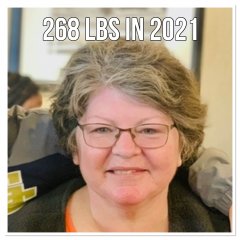
Before
-
Before surgery. 260 lbs.
-
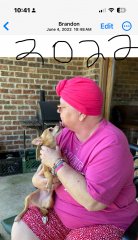
230 lbs
-
I am pre-op. Surgery is 11/4. Will add after pictures soon.
-
Finally got a date. If all goes well my surgery will be November 4th. I’m having gastric bypass. I’m so excited.
-
Due to doctors taking their sweet time, my surgery may not be till October. I’m so ready but they said they would try to get me in asap.
-
I am looking to have my surgery in September. Can’t wait!
-
I don’t have a date yet but supposed to be Sept. probably latter part of September.
-
I am in the beginning as well and surgery possibly Sept. I’m excited and can’t wait! I have psyche eval tomorrow. Hope it goes well.i am looking forward to hearing everyone’s experience. It will be here before we know it!