




Start here
Where are you in your journey?
Choose the path that fits today. We’ll take you to the most useful discussions.
- GLP-1 medication Zepbound, Wegovy, access, side effects, progress, and support.
- Before surgery Compare procedures, plan ahead, and get honest pre-op answers.
- Post-op Recovery, food stages, symptoms, and support.
- Long-term Regain, labs, habits, and life after the honeymoon.
- Revision Explore revision options, complications, and next steps.

ArtistikEndeavorz
Pre Op
-
Joined
-
Last visited
Everything posted by ArtistikEndeavorz
-
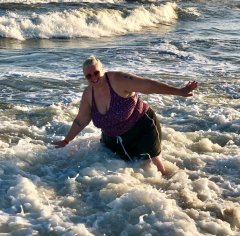
These are photos at my highest weight of 350lbs.
-
Right on!?
-
Azhiker reason being is that my doc wants 4 weeks on the pre op diet and as I stated I’m just easing into it. I’m just waiting til my appointment on the tenth to set a date...I’ve already cut out the other foods, soda, alcohol and caffeine and just want to be successful. Thank you.☺️
-
Think I’m going to ease into it since I don’t have surgery dates...yay or nay?
-
I am about to start my pre op liquid diet and would love any tips or suggestions on how to manage. This is a big step for me and I want to do the best possible! Thanks!

.png)