hikerdog
Pre Op
-
Joined
-
Last visited
Everything posted by hikerdog
-
Similar loss here. Really haven't changed any nurition or exercise. I guess it's a continuous cycle of getting balanced and then loosing pounds, repeat.
-
Similar experience to you blizair09. I finally trued to stop weighing daily. Now I weigh almost weekly. I really couldn't attribute losses or stalls with anything related to diet or exercise. I think maybe it is just metabolism adjusting.
-
I only found Calcium Carbonate in the chews at local stores. I couldn't find the Calcium Citrate. I think I'm gonna order some from Bariatric Advantage.
-
Thank you for the idea. I might try blending them with a shake.
-
Thank you. I will definitely check out that type.
-
I took the chewable calcium citrate from Bariactiv. I didn't like the chalky gritty texture. Now I'm taking Caltrate Calcium citrate. Even the 4 petite are so much to take. Has anyone found a good option for calcium citrate?
-
My rny was first surgery I'd ever had. I was nervous but everything went well. Good luck!
-
I want to do day hikes on the AT
-
I had rny in December. After reading a lot and talking with people, I've realized that everyone's experience is unique. At this point, I can eat almost anything. If I'm craving something, I just eat really small amounts. Of course I'm cautious about calories. I always keep my intake of sugars, carbs and fats low. If it's a "new" food. I literally try 1 small bite. Sometimes a taste is all I really need to not feel deprived
-
Torn adductor...Sounds painful. My dog has to have ACL surgery on Friday. Kinda had a stall on the scales but I've had to buy new clothes. Weird seeing muscles I didn't really know I had. Lol
-
Fairlife chocolate milk is 140 calories but it has 13 g protein. I'm going to add some protein powder and freeze it.
-
No sugar added fudge sickes only have 40 calories. They are great.
-
How did hockey go? I hope u r not in a full body cast. I did a 2.5 mile hike today. It was awesome to have so much energy. I actually had to slow my pace so I wouldn't get too far ahead of the others. Day hikes on the AT are now a reality for this summer.
-
Your incisions look good. Barely noticeable.
-
Great job!!! Sent from my SM-G920P using the BariatricPal App
-
I'm 47. Had RNY on 12/20/2016. In Sept 2016 I was diagnosed type 2 diabetes. Started BP meds, metformin & victoza which made me so sick. I lost almost 30# pre-op so BMI was 35. The day before surgery, I stopped all meds. Everything is in normal ranges now. Since surgery, I've lost an additional 25#.????
-
I had RNY on 12/20/16. It was my first surgery, first anesthesia. I'd never even had laughing gas at dentist office. After they rolled me into operating room, I was awake for about 20 seconds then... I woke up in recovery room. Just think about all the pre-op tests you are going or already went through as evidence that you will get through surgery with no problem.
-
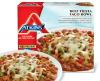
I found Atkins Taco Bowl in frozen meals section. I added a few slices of avacado and ate half of the bowl. Fast and easy to prepare in the microwave. Tastes really good. RNY 12/20/2016 HW 325 SW 258 CW 228
-
Hickory here. I had RNY on 12/20, Dr. Cox. Almost 30lbs down since surgery.
-
You've made a lot of progress. I can't imagine getting outside during winter in Chicago. In western N.C., we got some snow a few weeks ago. I used a snow shovel for the first time in my life. That was a good workout. You are looking great!
-
I had rny on 12/20. Every dang commercial was Christmas food. It was torture.
-
That's a great book. I think about that book when I see bears out in the woods. I hope to do some day hikes on the AT this summer.
-
My limited knowledge of hockey but it looks brutal. Definitely be careful. I like the idea of goals related to physical activity. By summer, I hope to tackle some longer hikes in the TN mountains.
-
Congrats! You are looking great. I am almost 6 weeks post-op. I've been walking at least 3 times weekly for the past 3 weeks. Each week, I've increased distance and speed. Feels good to push myself a little bit more each week without being exhausted. HW 325 SW 258 CW 229
-
I have really enjoyed edamame. I buy frozen, microwavable single serve. It's salty and it's a good source of protein