-
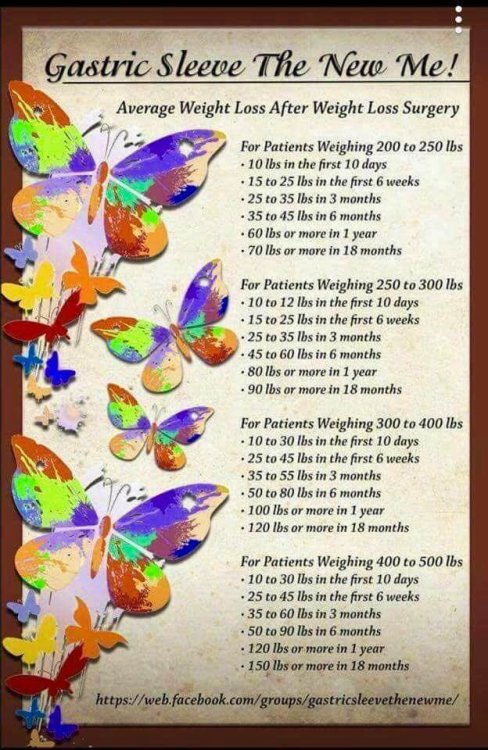
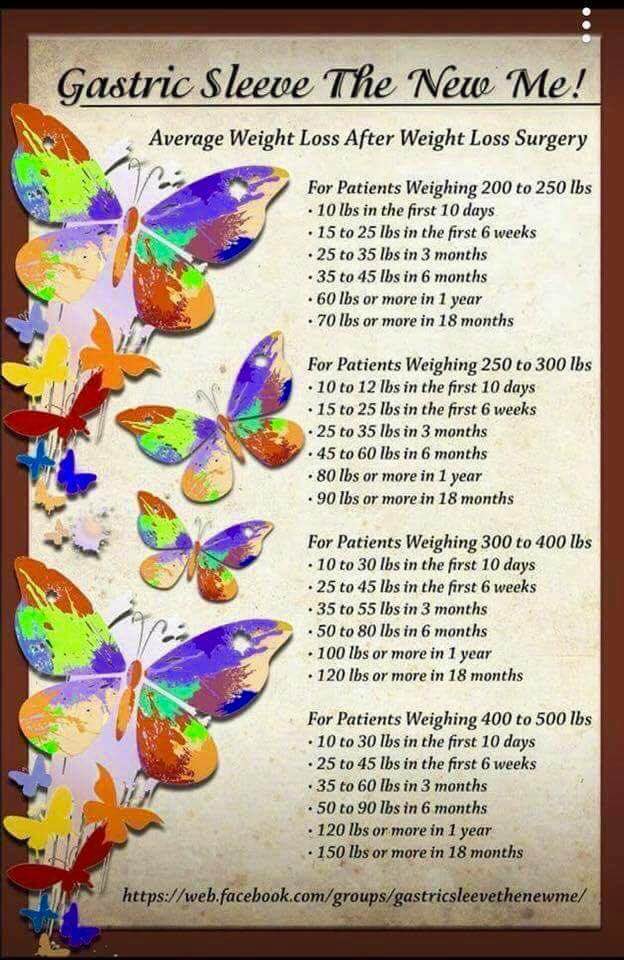
Is losing 50% of excess weight the standard?
-
-
Was it worth it?
2 years out, best decision I made well worth it.
-
-
-
Choosing between bypass and sleeve
True
-
Choosing between bypass and sleeve
True
-
-
Choosing between bypass and sleeve
I was 260 now I am 153
-
Choosing between bypass and sleeve
Remember that the sleeve can always be revised to the bypass but not the other way around. I had the sleeve 2 years ago eliminated 100lbs and think was the best decision I made.
-
-
-
Anyone stay on shakes for meal times longer than first couple weeks?
I still take them SW 250 CW 155 GW 155 Sleeved August 17, 2016
-
-
-
-
-
-
-
-
-
-
Before and after pic
One more pound to my goal yeah SW 250 CW 161 GW 160 Sleeved August 17, 2016
-
-
-
Before and after pic
Update 1 year out SW 250 CW 166 GW 160 Sleeved August 17, 2016
-
-
Protein Shake Question
If it works for you, why not? SW 250 CW 166 GW 160 Sleeved August 17, 2016
-
-
I know this is creepy but.....
- I know this is creepy but.....
I had to take mine to be biopsed lol so I actually had it for half a day, what was taken out and I did take a picture, maybe I am weird too lol SW 250 CW 168 GW 160 Sleeved August 17, 2016- Before and after pic
Thank you all, i still have a ways to go but I will get there in no time. This site is full of information and wonderful people and that sure helps. SW 250 CW 174 GW 160 Sleeved August 17, 2016- Hair nu
Thank you SW 250- Before and after pic
- I know this is creepy but.....
Join BariatricPal free
- Ask your own questions
- Reply and follow topics
- Message other members
- No cost, no spam
Account
Navigation
Search
Configure browser push notifications
Chrome (Android)
- Tap the lock icon next to the address bar.
- Tap Permissions → Notifications.
- Adjust your preference.
Chrome (Desktop)
- Click the padlock icon in the address bar.
- Select Site settings.
- Find Notifications and adjust your preference.
Safari (iOS 16.4+)
- Ensure the site is installed via Add to Home Screen.
- Open Settings App → Notifications.
- Find your app name and adjust your preference.
Safari (macOS)
- Go to Safari → Preferences.
- Click the Websites tab.
- Select Notifications in the sidebar.
- Find this website and adjust your preference.
Edge (Android)
- Tap the lock icon next to the address bar.
- Tap Permissions.
- Find Notifications and adjust your preference.
Edge (Desktop)
- Click the padlock icon in the address bar.
- Click Permissions for this site.
- Find Notifications and adjust your preference.
Firefox (Android)
- Go to Settings → Site permissions.
- Tap Notifications.
- Find this site in the list and adjust your preference.
Firefox (Desktop)
- Open Firefox Settings.
- Search for Notifications.
- Find this site in the list and adjust your preference.