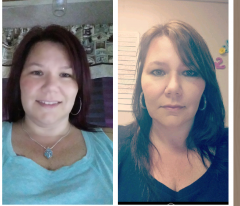
Tami_Lynn
Gastric Sleeve Patients
-
Joined
-
Last visited
Everything posted by Tami_Lynn
-
18 months post op, a weight loss surgery photo album by Tami_Lynn on BariatricPal. 1 photo in Member Photo Gallery.
-
Posting on 2/1, my 6 month will be 2/8/17.
-
Ditto!
-
I had VSG on 8/8/16. My hair loss started recently, I would say in the last two weeks. Its all over my bathroom floor, have to sweep every day. In the shower when I rinse my hair I can feel it sliding down my backside. I notice it by my temples. Solution for this is to not pull my hair up. I have thin hair to start. I hope I don't loose too much. My husband says he will love me even if I go bald. I guess that's all that matters!!
-
You look good for just getting out of surgery! Sent from my VS985 4G using the BariatricPal App
-
Wow, what a transformation! You look like a movie star! Sent from my VS985 4G using the BariatricPal App
-
You look great! I hope my legs look as good as yours. I have the most loose skin on the insides of my legs and I would love to wear shorts next summer!!!! Fingers crossed!
-
The truth? Proud? Are you implying that those who don't share are lying or ashamed? No. Just simply answering the topic title.... "Not telling anyone. What do you say?"
-
I tell everyone the truth! I am proud of my decision. Sent from my VS985 4G using the BariatricPal App
-
I had the best thanksgiving because I did not stuff myself then feel miserable! I actually focused on the family this year and not food! I ate some stuffed ham and broccoli casserole. I had a cookie for desert. I am just over 3 months out. Sent from my VS985 4G using the BariatricPal App
-
Hello everyone - I am now to the point where my clothes are all too big. I have a very expensive wardrobe, well to me its expensive. Most of my clothes came from Torrid and I love them, most are new with tags. I was thinking of altering them, I know a little about sewing, but not sure if I should waste the time. Have any of you contemplated this idea? I don't want to shop for new clothes until I reach maintenance, and I am 65-75 pounds away. Thanks for any comments or pins that may help.
-
You look great! I dont have a side by side body shot yet but here is my FACE!!! 10 weeks
-
Weight loss photos
-
I was the same way, this is normal. Eat slow and small bites. I use a baby spoon.... Wait between bites to let it settle a bit before you get too far and get that pain... Oh it's an uncomfortable pain! I will be 8 weeks tomorrow and still chop a lot of my foods up with a pampered chef chopper. Sent from my VS985 4G using the BariatricPal App
-
@@Donny That is an amazing story. I too love the Keto way of life. Before I decided to do WLS, I purchased some literature on the ketogentic diet. I started following it and had amazing results!! My co workers were like "how can you eat all that fat and loose weight, your going to get heart problems" blah blah blah. I showed them by dropping 30 pounds in 6 weeks! My blood work was perfect! Then I fell off the wagon... unfortunately... but didn't we all at some time. When doing this type of diet you cant sneak a cookie here or there. If you cheat... it messes you up for at least a week until that processed junk gets fully out of your system. I know that you know this but hopefully it will help some of the others who read this. This diet was developed to help children with ADHD and Seizures. It takes the place of meds for a majority of them!!!! How great is that. Just goes to show that our FDA had been wrong all along. I am a full supporter of the ketogenic diet and I hear a lot of people talking about ketosis on here but from what I've experienced you cant be fully in ketosis unless you are eating little to no carbs. I had purchased the keto strips and tested it. When your in ketosis its like a euphoria. You feel so good, mind and body. I'm happy for you, keep up the good work and positive attitude!
-
Before Photos, a weight loss surgery photo album by Tami_Lynn on BariatricPal. 3 photos in Member Photo Gallery.
-
Everybody is different, I felt sick all the time that early on. My suggestion would be to sip at your Water, if it stays down then try your Protein shake. Maybe its too early for sugar free pudding. Stick to your liquid diet for a few more days. I will stay following so we can see the results and help others who may have the same issue. Im 6 weeks out and tried to eat a piece of cookie dough.. the break and bake kind. Ugh my stomach is having a fit, gurgling and churning! I will not do that again for a long long time.
-
@@shani1970 - I did the same thing but mine was the toppings off of a piece of pizza. It was awful! I thought I was going to die. If you look back about 5 weeks ago I posted about it! I got a lot of support from the family on here, don't beat yourself up, push forward, and remember that pain when you think of making that mistake again! You got this!
-
Where can you find that? Walmart doesn't carry it. Sent from my SAMSUNG-SM-G920A using the BariatricPal App I ordered on Amazon, I got GENEPRO.
-
Uh oh - @@Dub - I just found another hottie! ( @@BigViffer ) Dub, you have competition for the Hottie McHotterson spot! Just kidding, you guys look awesome! I am so inspired by everything you have done and continue to do for your health.
-
I believe that caffeine is a diuretic because since surgery (5 weeks ago) I only pee 2-3 times a day. I used to pee 8-10 times per day with a bladder the size of a pea. (no pun intended) I have started back on my coffee this week and am peeing a lot more. The proof is in the urine! ha I love my coffee and need it! I am doing half caf
-
I don't think counting calories is important in your first few weeks. Getting all the liquids that you can is the main focus and your Protein. I am 5 weeks out and doing about 800 calories max per day. I just cant eat much but when I do I make sure its loaded with protein. I'm having a hard time drinking my Water, not sure why.. I used to drink about 100oz, of water per day before surgery. The "gas pains" that you hear everyone talking about is the CO2 they pump in your abdomen during laparoscopic Surgery, CO2 gas becomes trapped against the diaphragm causing pain. If you get up and walk early on you can dissipate it from your body. I had this in my shoulders and upper back. It was the most painful part for me.
-
yes, the Jello turns to liquid as you eat it.
-
Good Morning @@yasminesyz You should not have the apple juice as its loaded with sugar. They told me to stay away from dairy for at least two weeks after surgery and then slowly add it back to see how I tolerate it. The main thing you want to consume right now is your Protein drinks and your Water. You can also have sugar free Popsicle's, broth, and sugar free Jello. I was told to be on liquid for 7 days after surgery. Then added in low sugar greek yogurt... I am 5 weeks now and am still on soft foods. Hope this helps
-
@@shawnv1 I ordered the Patches thinking they were a good idea. My surgeon told me that they did not absorb very well if at all and to send them back. I was disappointed but returned them. Hope that helps.