vsg_candy
Gastric Sleeve Patients
-
Joined
-
Last visited
Everything posted by vsg_candy
-
IT DOES GET BETTER!!!! I was such a wacko immediately post op. I was terrified of eating and drinking. It went away and I eventually got over my fears. Hang in there!
-
WTG!!!!! You are doing great!!!!!
-
I havent tried to cauli mash yet but it sounds incredible!!!! Thank you for sharing the link! I think I will give them a try tomorrow. I have been doing cooking videos to help occupy myself lol. Here is the link if you need recipe ideas further post op. https://www.youtube.com/channel/UCKINy8MHcOQIjZnhWvssY7Q/videos
-
Hang in there! It gets better! In the early days on liquids/purees I was super hungry. At about 4 weeks things turned around....
-
Congrats!!!!!!! WTG! Doing the happy dance for you!
-
I occasionally by an atkins scrambled egg frozen dinner. I still do the occasional Protein bar. Lots of greek yogurt and cottage cheese. Cheese sticks, turkey and cheese deli wrap, etc. If you need some dinner ideas I have been doing some low cal, low carb, high protein dinner videos on my vlog I found a great recipe for mushroom caps. I have also done fresh salmon filets, slow cooker lasagna, etc. Hope it can help ya find some ideas. https://www.youtube.com/channel/UCKINy8MHcOQIjZnhWvssY7Q/videos
-
Pre-op I loved the grape. Post op it is to sugary for me and gives me heart burn. Ho-hum back to sipping my plain boring water
-
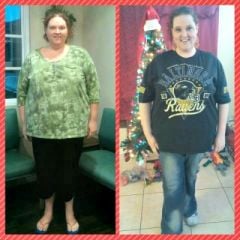
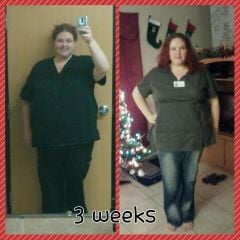
vsg_candy, a weight loss surgery photo album by vsg_candy on BariatricPal. 2 photos in Before and After Gastric Sleeve Photos.
-
Sorry to hear you are in pain. Please tell the nurse. Feel better soon. It does get EASIER!
-
Congrats!!!! Welcome to the bench!
-
At 2 weeks I was getting in 10-30 oz Water a day from the restriction and ended up in the hospital. Week 3 I felt a little dumpy - BUT week 4 and beyond was back to the new me ONLY more energetic and happy! Good Luck - hang in there. Sounds normal to me.
-
Jealousy... Oh boy! Ignore the haters or rude (even if well intentioned) comments! You are doing great!
-
It surprised me too how difficult it was. Hang in there it does get better. Set a timer if you need to. I switched to straws (against the common advice) after a trip to the ER for dehydration about 2 weeks out - it helped immensely! Good luck! It gets better!
-
My ex husband has rubbed it in my face many a time about his current girlfriend being a smaller plus than me. He destroyed my confidence and I sincerly hope I dont have to see him again even if I have a perfect body size or what have you. I think even if he liked the changes it would bring up old wounds and pain from the past and maybe cause self-esteem issues again. It can be a double edged sword depending on how you react emotionally to whatever your ex's opinion is.
-
I would LOVE to do water zumba but I am terrified I wont be able to keep up or will be exhausted part way through. You are inspiring me though! Any tips on a 300 pounder doing it? I am horribly out of shape.
-
Congrats!!!! That is wonderful! I plan on following right behind you! High five your way!
-
Yey - Vegas sleevers!!!! I was sleeve Nov 14, 2014 by Dr Thomas Umbach! Any others in Las Vegas or Henderson that had sleeve done 2014
-
That is great!!! Congrats and good luck to all of the January sleevers!
-
Great post - I have been thinking the same thing.
-
I have had 3 c-sections with 10 lb babies each.... The first 48 hours of post op gastric wasnt comparable because the gas pain for VSG was way more uncomfortable and awful. BUT after that 48 hours life was 100% easier than c-section for me.
-
This album has before and after pics up to week 5 post op
-
I use unjury
-
Hang in there! Sending feel better wishes your way!
-
Wishing your a transforming and brilliant 2015!!!
-
WTG Mark! Congrats on embarking on your new journey!