Start here
Where are you in your journey?
Choose the path that fits today. We’ll take you to the most useful discussions.
- GLP-1 medication Zepbound, Wegovy, access, side effects, progress, and support.
- Before surgery Compare procedures, plan ahead, and get honest pre-op answers.
- Post-op Recovery, food stages, symptoms, and support.
- Long-term Regain, labs, habits, and life after the honeymoon.
- Revision Explore revision options, complications, and next steps.

BrantS1976
Sleeve Plication Patients
-
Joined
-
Last visited
-
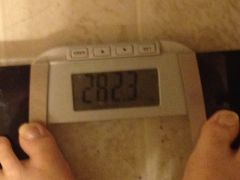
Down 100 lbs, a weight loss surgery photo album by BrantS1976 on BariatricPal. 1 photo in Member Photo Gallery.
-
-
Thanks for the excellent post. Only six months out but have started to experience periodic stalls in weight loss and this is a great reminder. When I hit a stall I do two things. First, I look at all the positive changes and think about how much better I feel and how much healthier I am. Then I do a very honest self assessment to see where I may be slipping up a bit and what might have crept back into my diet. Biggest culprits for me tend to be liquid calories, not drinking enough water and not getting enough sleep. We all got a great toolkit from our surgeons and their support staff, just need to remember to keep using them.
-
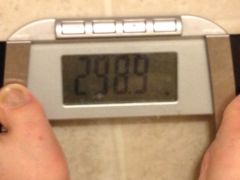
300 No More!, a weight loss surgery photo album by BrantS1976 on BariatricPal. 1 photo in Member Photo Gallery.