Start here
Where are you in your journey?
Choose the path that fits today. We’ll take you to the most useful discussions.
- GLP-1 medication Zepbound, Wegovy, access, side effects, progress, and support.
- Before surgery Compare procedures, plan ahead, and get honest pre-op answers.
- Post-op Recovery, food stages, symptoms, and support.
- Long-term Regain, labs, habits, and life after the honeymoon.
- Revision Explore revision options, complications, and next steps.

My2ndChance
Gastric Bypass Patients
-
Joined
-
Last visited
-
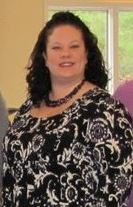
Before, a weight loss surgery photo album by My2ndChance on BariatricPal. 1 photo in Member Photo Gallery.
-
I was at Walmart tonight buying foods to start my soft stage, and picked up a box of Truvia and Nectresse. Haven't tried it yet, but wanted it on hand to have at work.
-
That gives me so much encouragement! My surgery is on Tuesday, and I am praying for the same.Sorry for the delay in responding, been "unplugged" for a bit. I really appreciate the information!!! I am already putting it to good use. Had my 1st surgeon visit on May 10th...so far I'm down 13 lbs. using high protein/low fat and now tracking. They like 10-20 lb loss pre-op, so I'm on my way. Thanks again all! Sent from my Desire HD using RNYTalkDoes anyone have any tips for good food tracking apps for the phone? I am still a month to 6 weeks pre-op, but I really want to start getting into the habit now so it won't be so hard after. Sent from my Desire HD using RNYTalk