prettylittleheart
Gastric Sleeve Patients
-
Joined
-
Last visited
Everything posted by prettylittleheart
-
Keep up the great work! Awesome job!
-
You were cute before, but you look like a totally different person! Awesome job! You look great!
-
Thanks everyone for the kind words! Little bit about my routine - I won't lie - I treat myself every now and then, but I always stay on track. I eat mostly nuts, tuna, and lettuce. Some veggies and some fruit. Love peanut butter and almond butter. I still do protein shakes. I do watch my carbs and portions a lot. I do also think it's important to treat yourself every now and then. I do it about once every two weeks - like frozen yogurt or sushi & I never really go off track. There's some truth to eating breakfast like a King, lunch like a prince & eat dinner like a beggar. I also constantly push fluids - I probably get anywhere to 100-120oz/day. I exercise about 3-7 times a week - I left little weights (8-16) pounds I run/walk/skip about 20 miles a week. (Give or take a few) Push ups, sit ups, wall sits, squats I've tried insanity too. I'm still not where I want to be, but I'm getting there! My doctor's expected loss for me was to 205 I surpassed that.
-
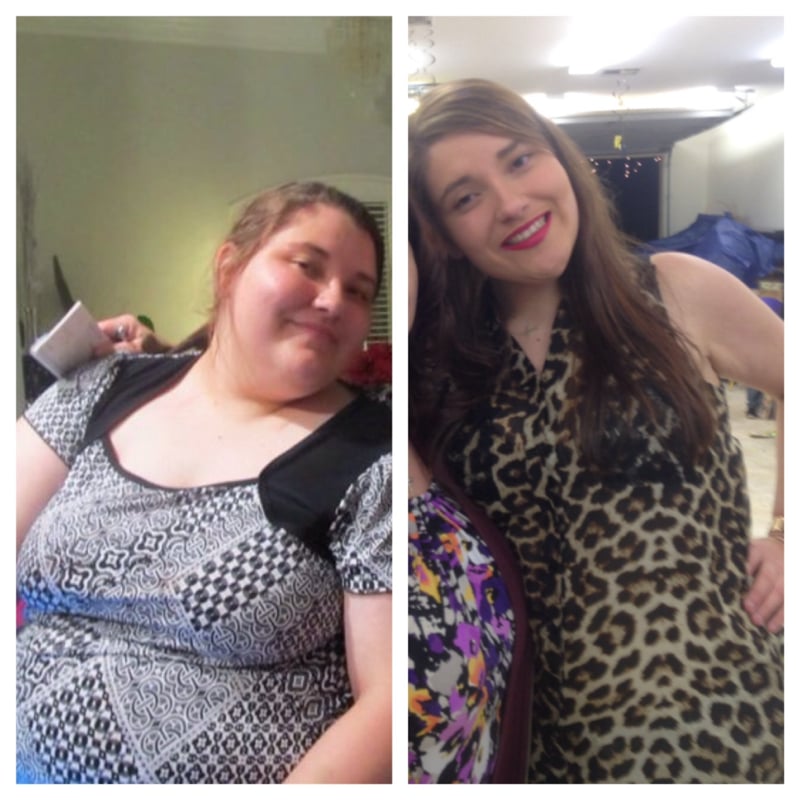
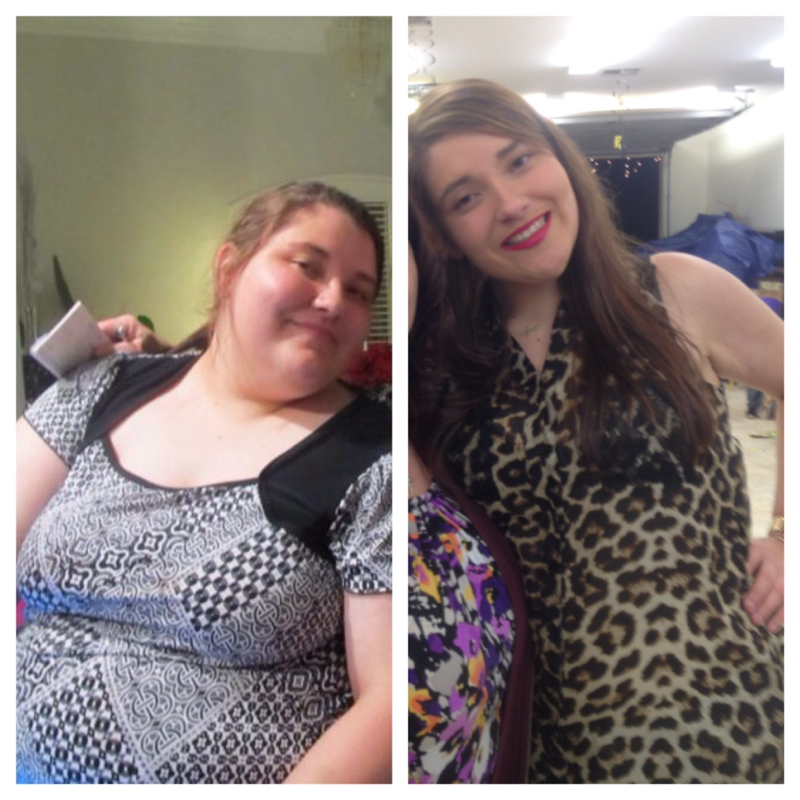
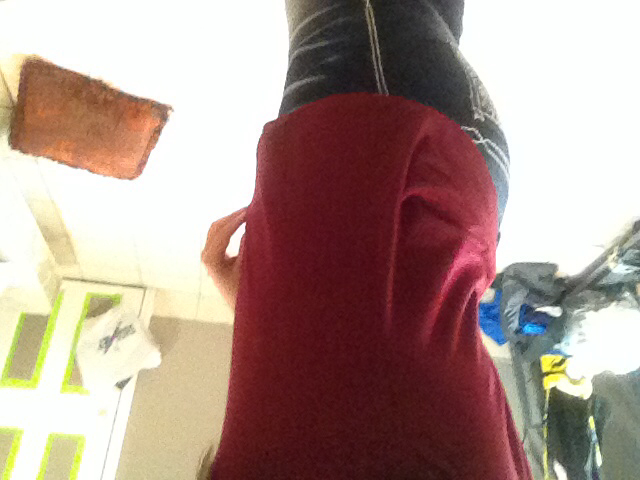
Left pic taken on 12.24.10 Right pic taken in 12.31.13 Thanksgiving 2013 This pic was taken 03.15.13 about two weeks post op. Starting weight: 327 Day of surgery weight: 303 Current weight: 188.5 Height: 5'9" Date of surgery: 02.28.13



-
I'm almost a year out - Protein shakes to this day are my most filling staple. Tuna Yogurt Fruit Lettuce Seafood- fish, oysters, shrimp, crab. Also all work too - but NOTHING gets me like a Protein shake. Sits in me like a brick.
-
Thank you, everyone! Y'all are too kind! My surgery was 2.28.13 - My skin has done well for the most part. TMI but my breast seem to have deflated but they needed work before surgery so fret not. Toning exercises are really important, no one could stress that to me enough!
-
Top: 12.24.10 Bottom: 12.24.13 We actually were in the same order three years later & not intentional! Left: 12.24.10 Right: 12.31.13 12.31.13 11.26.13 12.24.13 Two weeks after surgery. Starting weight: 326 Day of surgery: 303 Current weight: 188 Height: 5'9" Age:22 Couldn't be happier! I am aiming to lose about 30 more pounds.








-
So do you! Congratulations!!
-
Left side is from 2010 Right side is from Thanksgiving 2013 Again, Thanksgiving 2013 My surgery date: 02.28.13 SW:326 DOSW:303 CW:194


-
I paid 18$ and some change. You can round it to roughly 20$ for a case which comes with 12. One of the best tasting ones honestly. I bought mine from Sam's. Also, Myoplex EAS carb control (strawberry, chocolate, and vanilla) are pretty good too. Also sold at Sam's. I paid maybe 8 dollars more and got 30 to a case. I've never been to CostCo though.
-
Not where I want to be, but I'm better than three years ago. Left-2010 Right: this past Saturday Oct. 2013

-
I always remember that 3oz is roughly around the size of the palm of my hand. Helps all the time!
-
You look fab!
-
Congratulations! Welcome to the loser's side! Glad your surgery went well!
-
Yep, I'm 5 pounds shy of a 100 pound loss & I'm still wearing pre-surgery clothes. They are much looser now and before surgery I really truly probably needed to go up a size. I can fit in smaller sizes too but still wear my old clothes.
-
I do hummus crisps. Kashi and Quaker makes them and both are really good. Both are around 120-130 calories, 16-20 carbs, 3-4g of Protein. I've used them with low fat/low calorie chicken, egg, and crab salad, or bean dip. The serving size is quite large for both too 16-20 crisps so I've never actually gotten a full serving size down, but they are really good. We started at around the same weight but I am about four and half months out. I found them at my local Walmart and I have a Winn-Dixie by me so I'm pretty sure you'll be able to find them too. I found Quakers brand by the rice cake section. So maybe try there. Hope this helps! Good luck!
-
I agree with everyone else. Although I'm dealing with the same issues about my body and towards myself - I've also opted to not put myself out there yet so coming from me - you've already won half the battle! You've most yourself out there and met someone, that's the first step & truly that's commendable. In my opinion, if he is worth any of your time and intimacy - he will listen to what you have to say and be considerate of your insecurities. Everyone has them. You should be open about the surgery with him for you, not for him and him alone. But, this is obviously stressing you and not being open with him about it may inhibit the relationship from growing. I also think it is better for him to know now before you really invest serious feelings in the relationship. If he really likes you as well, he will see you for what you are, not your insecurities! Good luck & congratulations on the weight loss! That's fabulous!
-
I sneeze and also get hiccups when I've ate my limit - so funny!
-
I found 'hummus crisps' delicious - I dip them in low fat/low cal egg, chicken, tuna or crab salad, bean dip, hummus. I bought them at Walmart and Winn Dixie ( so I'm pretty sure you can find them at your local stores too) When you are cleared to have everything - these are a healthy, yummy treat. I found that Kashi makes them 17 crisps 130 calories 20 carbs (a little high but I'm four months out and don't eat 17 of them lol) 4g Protein Quaker makes them too ( I liked these better) 16 crisps 120 calories 15 carbs 2g protein So yum! I also do veggies too in low fat dressing I also know a recipe that I have tried to up protein - I took Fagè plain Greek yogurt ( no flavor ) about 4 tbsp and mixed it with a 1/2 pack of hidden valley ranch powder and it makes for a protein packed dip good with veggies, meat, and hummus crisps! Good luck!
-
I don't know, but I'm becoming increasingly grossed out over food, especially meat. Any meat. I guess this is a good problem to have, but don't know how I will get Protein in otherwise. All I want is vegetables, fruit, and hard boiled eggs. I'm almost psyching out myself lol. Maybe it's just a phase of serious decreased appetite? My taste buds have changed immediately after surgery, but this is a major difference (I'm almost 4.5 months out)
-
Glad you're ok!!!
-
I had Justine and Laura - but usually like my appointments more with Laura! She's great & you can pretty much ask her anything & she kinda relates to me more!
-
What was your starting weight? I go for my sixth month appointment next month. Welcome to the loser's side!! I too, was able to have SF Jello, broth, and SF crystal light before I left - didn't have much of an appetite but the broth they brought to me was amazing - Herb Ox Beef Broth - the best I found during liquid phase! Here are my stats - Starting weight: 326 (around Feb 12, 2013) Day of surgery: 303 (after 16 days of liquid pre-op diet) 2.28.13 Current weight as of today: 237.5 My goal weight for me is 170, but Dr. Wooldridge wants me at 152. I'll be happy at either. If I can get passed 170 - I will keep going. (I haven't seen under 300 pounds in years!!)
-
I heard great reviews for Dr. Richardson - but can only speak personally about from my experience with Dr. Wooldridge - but I do have a friend in consult stage with Dr. Richardson, if you have any questions I can ask him. I'm pretty sure the program is the same between both Ochsner Doctors - whose the nutritionist you guys all seen? Nice to know other people are in the same boat as me and are having the surgery - I don't regret it at all! The good thing about Dr. Wooldridge is he takes a lot of preventative measure post op that prevent so much discomfort & pain management was excellent! I remember I was freaking out so bad they had to call anesthesia to come and knock me out before I got up and walked out of there lol - so anesthesia came and all I remember was being rolled into the OR and hoping from my bed to the operating table and I was out - I woke up and said did he do the surgery? Am I sleeved? Lol I couldn't believe it. I remained out of it for the rest of the day pretty much. I was awake but effects of anesthesia were still weighing on me - as soon as I got the med surg floor - I was up and walking within the hour - is painful at first but soo important (pain management is excellent too) I had a pain pump! Also incentive spirometer every hour is important I know they say every two but seriously every hour in the beginning helped me so much. I would get up and walk every hour and when I sat down after my walk I did the incentive spirometer. Next day - I woke up - they did my leak test and I passed and I was bumped up back to a liquid diet that morning. I tried milk 6 days later - tolerated it fine & the rest is history lol! Good luck & you will do fine! Pray! & I will be praying for you!
-
I'm waiting to sign up at Elmwood, I am going through a consultant for Ochsner but haven't been too pushy with it because I don't want to go to a gym by myself - I have been running, squats, lifting a little not too much because I don't want to put on weight, but would love a work out partner! Waiting for the consultant to call me back. & same with me - everyone I knew had Dr. Richardson at Ochsner Main Campus, but when I met Dr. Wooldridge I knew I made the right decision & haven't regretted it since! He truly was all I could ask for in a surgeon & he is very reassuring as I had some serious anxiety about the surgery and anesthesia. Have you started your liquid diet yet?