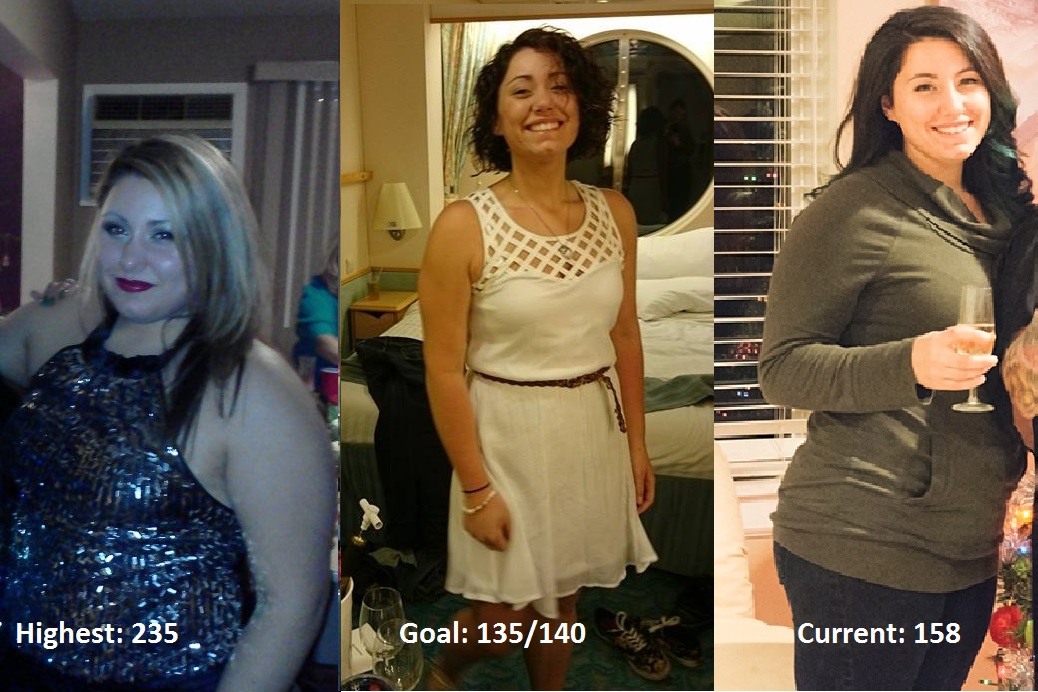
epasseri
Gastric Sleeve Patients
-
Joined
-
Last visited
-
-
-
-
-
-
-
-
-
-
-
Thanks so much for your words of wisdom. For now, my SO is on board with our new eating plan. He's even mentioned how convenient it is having everything planned out, eliminating the need for making dinner plans daily! I'm anticipating he will get bored sooner or later, and when that time comes, I will certainly remember your great advice. I hope to one day find a dynamic that works like you and your wife have. As far as restriction, when I eat correctly- protein first, I certainly feel limited. I can usually only finish 4oz protein and 4-5 bites of veggies/carbs. If I'm eating carbs only, I seem to be able to fit much more! As compared to right after surgery when eating bread of any kind made me vomit, that seems to be the only difference. I don't feel like my sleeve has stretched much if at all.
-
-
-
-
I remember having a lot of trouble getting used to the protein shakes. I had to thin mine down quite a bit, adding extra water helped me meet my water goals. As far as getting your water in, always have your water handy and take small sips all day. Starting from the moment you wake up (keep it bed side). The small sips will stop the ful feeling. Try adding some lemon or Mio or crystal light to your water, so you actually enjoy drinking it. It's all about retraining yourself to form new and healthy habits. And it takes up to two months for an action to become a habit! Be patient. Over time, when you're fully healed, you'll be able to drink all 64oz and more!
-
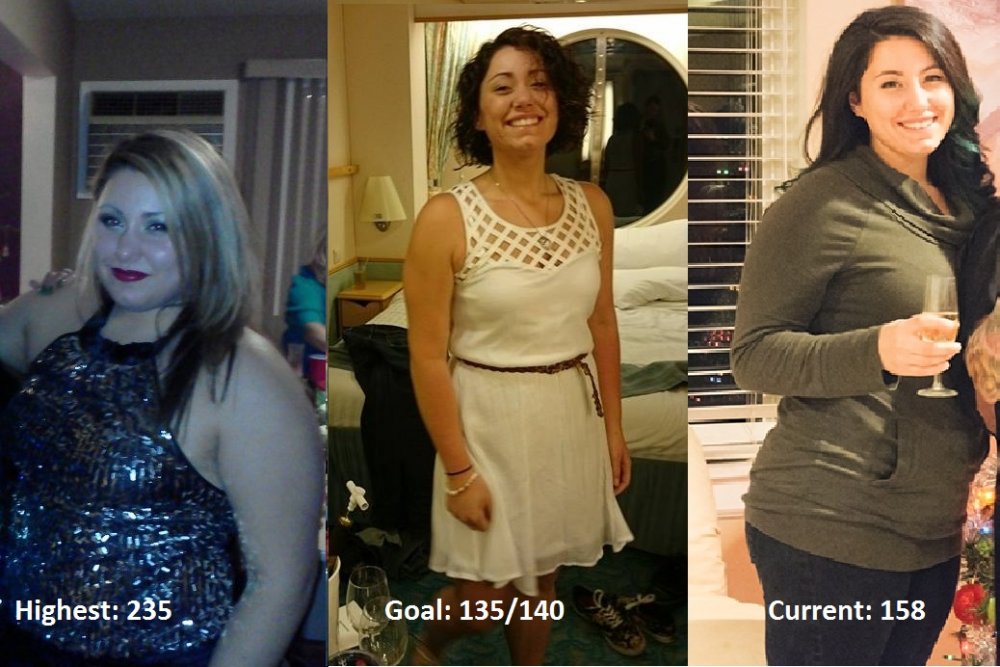
So, it has been a while since I've been active in this community, but I just wanted to share my story and my current struggle with regain. I still feel like having VSG WLS (March 2013) was the best decision of my life. I remember the first year -- the "honeymoon phase" -- when the weight just flew off! It was definitely a major adjustment, having such positive feedback from friends and family. Honestly, I hated the attention I was getting, because I felt like I "cheated" having the procedure. When people asked how I lost the weight, I usually tried to avoid telling them about the surgery, but I'm naturally and honest over-sharer, so I forced the words "weight loss surgery" out of my mouth, and cringed. Nevertheless, I became obsessed with losing weight, and living a healthy lifestyle. Before I knew it, a little over a year later, I had reached my goal weight (140lbs - lowest 135)! I had just turned 20 years old, and I was on top of the world. For the first two years after reaching my goal, maintenance was a breeze. I would gain 3-5 pounds, notice I was snacking a little too much, and correct my actions, and drop the weight. Then, in July 2016, I met a wonderful man and shortly after we moved in together. For the first few months of cohabitation, I went about my normal routine, prepping meals on Sunday for the week, walking every day, and living life as usual. Then came a new "honeymoon phase" of our relationship. Date nights, eating out, spending the weekends in, snacking in front of the TV. I was so happy and in love, that my health and fitness goals went by the wayside. It felt like I blinked and all of a sudden, I had gained 20 pounds in a year. Every time I tried to get back on track, I'd drop 8-10 lbs in a month, and then my SO would insist on indulging in one guilty pleasure or another, and just like that, diet: derailed. One month ago, I stepped on the scale and it read 163lbs, and I said to myself, "Enough is enough!" I had seen a lot of popularity of the ketogenic diet floating around social media, and since it was the only "diet" my SO would agree to try, we went for it together. After a month, I had dropped 6lbs, but I was having tremendous cravings for sweets. Not your typical chocolates and caramels, but I just wanted some fruit! How I longed for a banana... I quickly decided the "keto lifestyle" was not for me. I've since switched my focus to whole foods -- lean meat, whole grains, lots of fruits and veggies and lots of water. I aim for +/-1200 calories a day. I've also joined Beach Body On Demand, and have been religiously "pressing play" on my Insanity workout program. It has only been a week, but since starting, my sleep has improved as well as my mood. Unfortunately, the scale started climbing! Today I weighed in at 158 (+2lbs). I've read a lot of forums that it's probably just water retention, and my muscles trying to repair themselves, but BOY, it is discouraging. I'm worried the gain may be due to an under active thyroid. Regardless, I've made a commitment to myself to press on and finish the 60-day "Insanity Challenge," and see where that leaves me. I decided to revisit this forum, in search of support, and to see if anyone has experienced regain of this magnitude at 3+ years post-op, but I hadn't found much on the topic. So I decided to share a brief summary of my life post-op. Despite the regain, I still consider my VSG story a success. When I think of how far I've come, I realize I'm much closer to my goal weight now than I was before I was sleeved, and that's always a relief. It's time for me to get back to basics and use the tools I've acquired along the way to get me back on track. Weight loss & maintenance is truly a lifelong journey, and there is no "real" finish line.
-
 epasseri reacted to a post in a topic:
High Protein "snack" Ideas.... Lets Start A List To Refer To When We Need Ideas
epasseri reacted to a post in a topic:
High Protein "snack" Ideas.... Lets Start A List To Refer To When We Need Ideas
-
-
I wasn't sure which forum to post this in, but are there any ink'd sleevers out there? I have one on my upper back and one on my foot, and I'm also down 60lbs. I suppose due to the placement of mine, I haven't noticed any distortion of any kind. Now, my question is, with 35lbs to lose, would getting a tattoo right now be a bad decision? It would be on my outer thigh, closer to my knee. Do you think a loss of 35lbs would distort it in any way? Should I hold off? What has your experience been? Please no judgments, I know tattoos might not be for everyone, but they're for me and you won't talk me out of it!
-
I'm over 2 months post-op and my sleeve just can't handle bread, at all. It makes me nauseous and uncomfortable. As for pasta, even whole grain just sits like a brick in my sleeve. I'm Italian as well and now I have to pass up on Sunday dinner (usually pasta) and instead make something for me. I struggled with this at first, but it's almost fun now because I've found such a different passion for food-- to create things that taste GREAT and are good for you! I've cooked dinner quite a few times for my family and they don't give a hoot about how nutritious it all is, but they go on about how great everything tastes! You may feel heart broken for a while, for me it was like a divorce or a death, but those feelings will fade with time. All those carbs are crappy fuel anyway, and your body is the most important machine in your life. Put good in, get good out. :] Good luck to you!
-
You go, girl!
-
I am in the same boat as your daughter. I decided to get sleeved when I was 18 and still in high school. With help and support from my parents, I decided it was best for me to take a year off to adjust to life after high school before going into college. At first, I regretted my decision just because I didn't realize the drastic changes in my lifestyle that had to be made. Now, at over 2 months post-op, I can honestly say I couldn't be happier. So many doors have opened for me and I'm happy with my decision to be sleeved; however, I knew I would not have been able to handle the stress of moving away to college whilst awaiting approval and a surgery date. I live in NJ and it took about 8 months to get approved for surgery. So, if your daughter is level-headed and didn't have any issues with school work, then she should be fine. But, be sure she understands the emotional rollercoaster that is to come. For me, it was like a really bad break-up. I felt loss and sorrow and I definitely would not have been able to handle classes and not being with my family. But ultimately, it's her decision.
-
Thanks for all the feedback, guys.
-
-
<p> It's really hard coming to terms with my weight loss. I only took this picture for a relative, so I decided to compare an old picture from the summer. In my head, when I look in the mirror, I see the girl in the photo on the left staring back at me. I cant find solace in any of the numbers and statistics, and not even this photo comparison makes me feel better. I am still unhappy with my body. Did anyone else have these feelings? Did they go away as you approached your goal weight?
-
The only downside is fresh fish is expensive. Womp.
-
I've been living off of sushi and sashimi lately. Almost 2 months out, and raw fish seems to be the only solid protein that my sleeve likes. Also, I've just always loved Eastern cuisine.
-
I'm 4 weeks out. Not getting in any of my protein requirements yet :/ still trying to find something that doesn't make me nauseous. Just generally not having an optimal recovery
-
Thanks so much for that. I definitely needed some reassurance and a little encouragement. I do take gummy vits and I'm getting about 3-4 glasses of water in a day. The only thing I've been craving is pasta, but I can fight through cravings. I'm just really thirsty all the time and sipping liquids isn't very quenching.
-
You could try sautéing it with some green onion, garlic, salt & pepper, then add some lite cream cheese to the mix. Use that mixture to fill some wonton wrappers and bake it off to make a crab Rangoon.
-
I've been super depressed for the past 3 days. Regretting this decision, laying in bed, barely eating/drinking anything I'm supposed to, hoping to shrivel up and disappear. I don't know how I'm supposed to feel. I know I made a choice to better my health and my life, but it feels like I just ended a relationship without any thought, even though I thoroughly researched everything about VSG. But, it is what it is, and I have to own up to my decision. I'm already half way to goal, so I guess that's a plus.