peteypete
LAP-BAND Patients
-
Joined
-
Last visited
Everything posted by peteypete
-
Ok alli my name us pete and I get banded 7/1. Real concern about returning to work cause hav to be back by sat. Surgery date minday. Keep me posted on yr progress.
-
Is yr insurance paying for the surgery after lapband.
-
Great...good luck
-
Wow thanks for the encouragement
-
7.1.13 worried about how long before I can go back to work.
-
Hi nyc pete getting banded 7.1.13. Worried I can only be out of work 5 days mon to fri. Fantastic u lost so much weight. Congrats.
-
Thanks for the photos. They are really inspiring.
-
Me2 6/10/13 excited nervous all at once
-
I am self employed. I really cant be out for more than 3 days. What is the consensus as to when I can return to work after my lap band 6/10/13. Concerned.
-
U look great
-
Where is yr pic
-
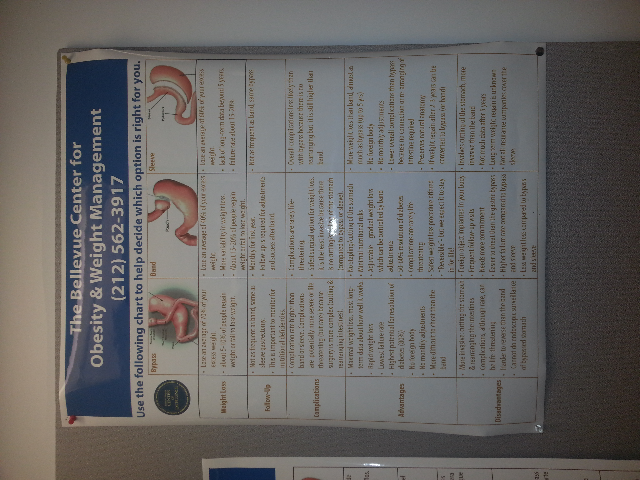
U look amazing! Thats great considering the short time period.Eas is the best. Especially after setting in the frig a day or two. You wont get the ppwder taste.You look great congratsCan you vote more than once?This is a comparison chart I took a. Picture of when I was at my doctors office. The bottom line all these procedures are tools to help you. [ATTACH]26383[/ATTACH]
 You got my vote. When will you find out if you win?