




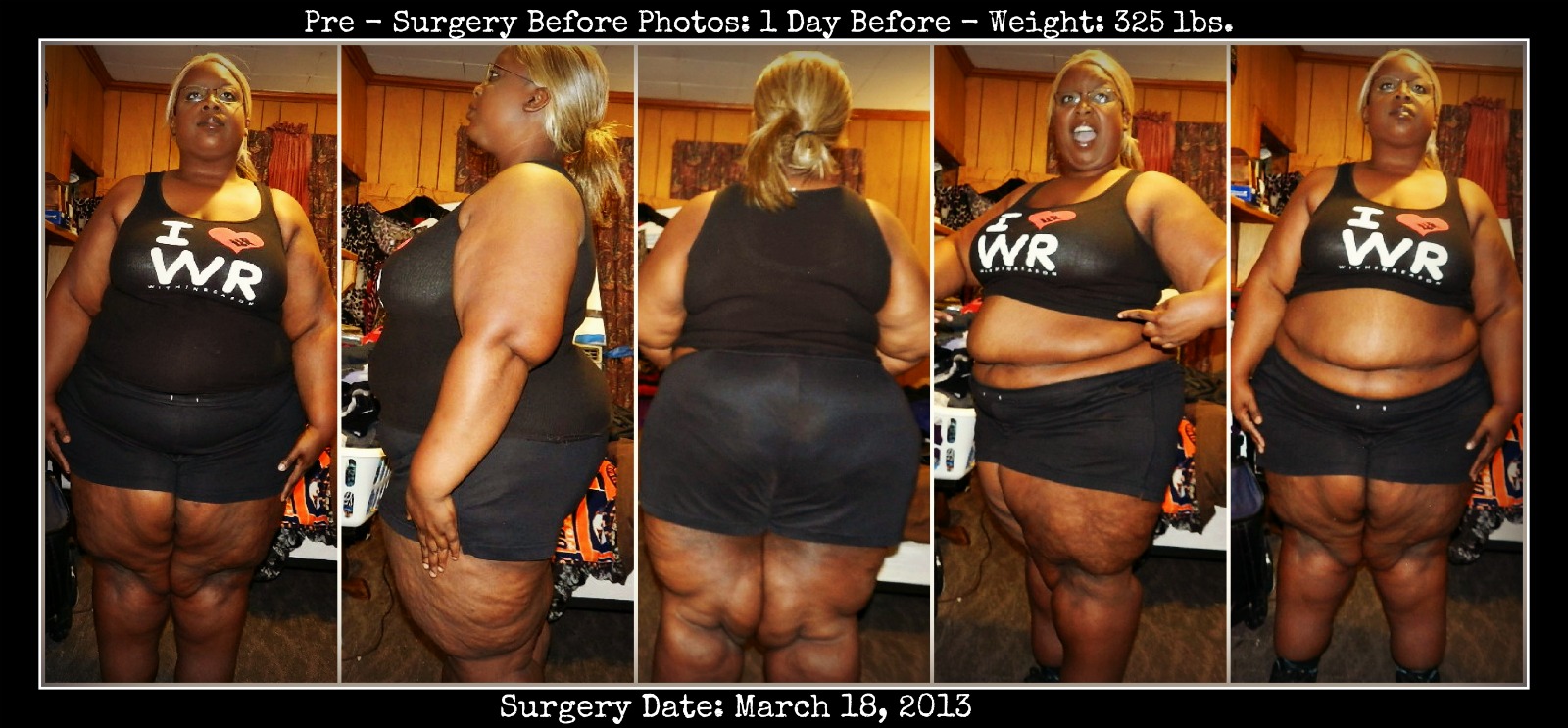









WeightLossPreSurgeryCollage

I started my weight loss journey on November 28, 2012 at 350 lbs.
In preparing toward my surgery, I changed my eating habits tremendously, and cut back on the things that I KNEW I need to cut back on: breads, sweets, sodas, and fast food. With the exception of a few cheat moments, I stuck to the diet... until the surgery date was set. THEN I proceeded to sneak in a few of my favorite foods in the last few weeks, and gained a portion of the weight I lost back. However, after being on the pre-surgical liquid diet this week, I've lost all of the weight I gained (16 pounds!), and now as of this morning, I weigh 325 lbs! I've come a long way since November 28th, and I still have a long way to go... but by the grace of God, I KNOW I'll push through this. It hasn't been easy, and just because I'm having this surgery doesn't mean it'll get EASIER, but the end result will be SOOO worth it!
So I would like to bid a bittersweet farewell to this body! To the flabby arms, stomach gut, thunder thighs, thunder legs, thunder BOOTY and all of the above... ADIOS! RIP to the fat friend, chubby girl, big girl mentality... I'm going to walk into my DESTINY! ♥
Recommended Comments
Join the conversation
You can post now and register later. If you have an account, sign in now to post with your account.