




Skip to content
View in the app

A better way to browse. Learn more.

BariatricPal

A full-screen app on your home screen with push notifications, badges and more.

To install this app on iOS and iPadOS
  1. Tap the Share icon in Safari
  2. Scroll the menu and tap Add to Home Screen.
  3. Tap Add in the top-right corner.
To install this app on Android
  1. Tap the 3-dot menu (⋮) in the top-right corner of the browser.
  2. Tap Add to Home screen or Install app.
  3. Confirm by tapping Install.

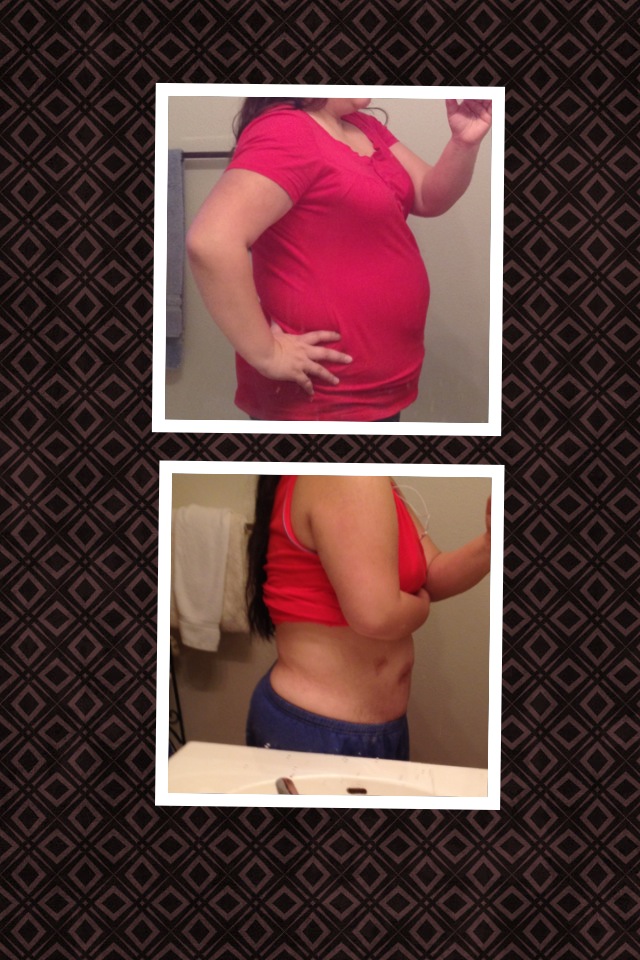
One month out today!
Surgery date: Jan 16, 2013

Weight is 200

Pre-op 190

CW: 175


Not so much weight loss, but losing inches everywhere and sizes are dropping down.

Goal: need to hydrate and reach 64 oz, still struggling most times to drink.

But great news, no more foot, back and knee pain :) thankful for being pain free, and loving my sleeve.

From the album:

One month out!

· 3 images

Account

Navigation

Search

Search

Configure browser push notifications

Chrome (Android)
  1. Tap the lock icon next to the address bar.
  2. Tap Permissions → Notifications.
  3. Adjust your preference.
Chrome (Desktop)
  1. Click the padlock icon in the address bar.
  2. Select Site settings.
  3. Find Notifications and adjust your preference.