




Skip to content
View in the app

A better way to browse. Learn more.

BariatricPal

A full-screen app on your home screen with push notifications, badges and more.

To install this app on iOS and iPadOS
  1. Tap the Share icon in Safari
  2. Scroll the menu and tap Add to Home Screen.
  3. Tap Add in the top-right corner.
To install this app on Android
  1. Tap the 3-dot menu (⋮) in the top-right corner of the browser.
  2. Tap Add to Home screen or Install app.
  3. Confirm by tapping Install.

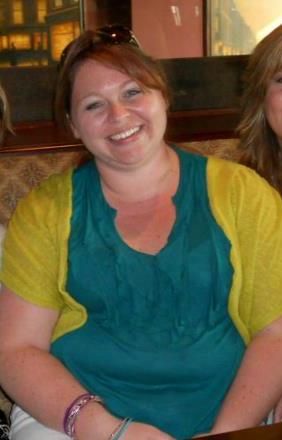
A picture I could hurt my friend for posting on FB, but quite an eye opener! I can't believe I'm reposting it!

This was at a going away party for a job that I left. Unfortantely, I left a heck of a lot of awesome people (and a couple of bad ones). While in this job, as Application Anaylst for an EMR, I gained probaby 20-30 lbs in three years. The job was VERY high stress, lots of sitting at my computer for many, many hours. Lots of stress eating!

  • From the album:

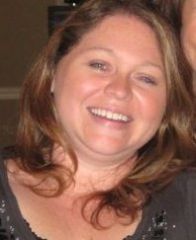
    I can't believe I'm posting these.... ugh.

    · 2 images

    Account

    Navigation

    Search

    Search

    Configure browser push notifications

    Chrome (Android)
    1. Tap the lock icon next to the address bar.
    2. Tap Permissions → Notifications.
    3. Adjust your preference.
    Chrome (Desktop)
    1. Click the padlock icon in the address bar.
    2. Select Site settings.
    3. Find Notifications and adjust your preference.