




Skip to content
View in the app

A better way to browse. Learn more.

BariatricPal

A full-screen app on your home screen with push notifications, badges and more.

To install this app on iOS and iPadOS
  1. Tap the Share icon in Safari
  2. Scroll the menu and tap Add to Home Screen.
  3. Tap Add in the top-right corner.
To install this app on Android
  1. Tap the 3-dot menu (⋮) in the top-right corner of the browser.
  2. Tap Add to Home screen or Install app.
  3. Confirm by tapping Install.
  • Entry

    1
  • Comments

    2
  • Views

    605

About this blog

That one fat girl, a weight loss surgery blog by Samantha Ann on BariatricPal.
Entries in this blog

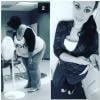
Surgery Oct. 27, 2014   My body has gone through so many changes in such a short time. I am so happy and if I had to do it all over again, I would. There is nothing better than being proud of who I am. However, I'm starting to realize that some of my friends arnt happy at all. I have been hurt by some comments on social media. I will admit that there were a lot of people I kept my surgery away from. I dont know exactly why I did that and I know I hurt them in the process. However

Account

Navigation

Search

Search

Configure browser push notifications

Chrome (Android)
  1. Tap the lock icon next to the address bar.
  2. Tap Permissions → Notifications.
  3. Adjust your preference.
Chrome (Desktop)
  1. Click the padlock icon in the address bar.
  2. Select Site settings.
  3. Find Notifications and adjust your preference.