Start here
Where are you in your journey?
Choose the path that fits today. We’ll take you to the most useful discussions.
- GLP-1 medication Zepbound, Wegovy, access, side effects, progress, and support.
- Before surgery Compare procedures, plan ahead, and get honest pre-op answers.
- Post-op Recovery, food stages, symptoms, and support.
- Long-term Regain, labs, habits, and life after the honeymoon.
- Revision Explore revision options, complications, and next steps.
InfiniteButterfly
Gastric Sleeve Patients
-
Joined
-
Last visited
-
InfiniteButterfly changed their profile photo
-
I am for smoothies and Protein drinks. Most of the time, I do get my protein from foods, but sometimes, my tummy just doesn't want food. And a protein drink is an acceptable choice. My surgeon is totally okay with a protein drink or two, so long as they are instead of a meal rather than in addition to (he made the distinction when I asked if it was okay to continue protein drinks in the morning) Most mornings, I have a shake rather than food because it sits better. My tummy does not like food before 10 a.m., and since I'm generally awake and on the move at 5 a.m., I need something to fuel my morning. The shake does it.
-
Excellent point. This is the one thing my therapist has said from Day 1...attitude will make the difference between success and failure, so I've tried to maintain a positive attitude throughout the process. It really does make it easier when you think positively
-
Great article I credit counseling for helping my partners and I stay on an even keel. I expect there to be bumps in the road, but I'm hoping we stay strong through them.
-
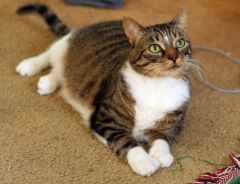
Pets, a weight loss surgery photo album by InfiniteButterfly on BariatricPal. 4 photos in Member Photo Gallery.