Skip to content
View in the app

A better way to browse. Learn more.

BariatricPal

A full-screen app on your home screen with push notifications, badges and more.

To install this app on iOS and iPadOS
  1. Tap the Share icon in Safari
  2. Scroll the menu and tap Add to Home Screen.
  3. Tap Add in the top-right corner.
To install this app on Android
  1. Tap the 3-dot menu (⋮) in the top-right corner of the browser.
  2. Tap Add to Home screen or Install app.
  3. Confirm by tapping Install.

1 Month Update - Weights & Measures

OK so I am one month post op today - boy how time just goes flitting by. I thought I would post my info just to share - feel free to post your also if you would like

<TABLE cellSpacing=0 align=center border=8>

<TBODY><TR><TD>Weights and Measures<TD>275<TD>266<TD>-9</TD></TR>

<TR><TD>Parts<TD>9/11/05<TD>10/11/05<TD>Difference</TD></TR>

<TR><TD>Bust<TD>49<TD>48<TD>-1</TD></TR>

<TR><TD>Waist<TD>45<TD>43.5<TD>-1.5</TD></TR>

<TR><TD>Hips<TD>56.5<TD>53<TD>-3.5</TD></TR>

<TR><TD>Bicep<TD>19/19<TD>18.5/18.5<TD>-1</TD></TR>

<TR><TD>Thigh<TD>31.5/31.5<TD>31/30.5<TD>-1.5</TD></TR>

<TR><TD>Calf<TD>22/23<TD>21.5/22<TD>-1.5</TD></TR>

<TR><TD>Ankle<TD>12/12<TD>12/11.75<TD>-.25</TD></TR>

<TR><TD>Wrist<TD>7.5/7.5<TD>7/7<TD>-1</TD></TR>

</TABLE>

  • Replies 15
  • Views 1.9k
  • Created
  • Last Reply

Top Posters In This Topic

Featured Replies

Great job! What a cool idea. I know I am really new (2 wks post op) and sometimes I look in the mirror and say "I'm 14 pounds down but I sure don't see it"

Taking monthly measurements would definitely reassure us that we are losing!

I love it!!! I love it!!! You have done wonderful. I will have to take my dreadful measurements since I am still pre-0p. What a great way to SEE the progress besides the scales. You are doing great!

Lynn**** congrats sweetie! I am so proud of you. Is this something you came up with or did the doctor measure you before surgery and then again at this appt.? Either way, it's a great idea. I can't wait to see how much more comes off after you first fill, if you need one. My appt. is coming soon and I'll PM you and let you know what's going on. I thank you for all your support and info. that you have given me.

Well done Lynn!!! I have lost 22 1/2 inches, I think (it's on my sig) and it's been a few months, almost, since I have measured. Don't it feel grand?!!!

Pre-op people...take front/side/back before shots and take your measurements. I promise, you will want them later!!! :D

  • Author

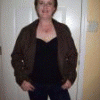
Thank you all for your support. I got the idea to take measurement from people on this site. I also took front/back/side pics but I cant see a big difference in them yet (my hubby does though)

My only recomendation when taking pics is to take them in the same spot every time and mark when the camera needs to be. My afters are from a slightly different angle and the camera was closer to me so there is a size difference just between the actual photos - makes it a little harder to compare.

Lynn, since you said you didn't mind if other's posted their stats...I will do so as well.

Body Measurements 9/05/05 10/12/05

Arms 17” 15" -2

Bust 51” 49" -2

Bra Band 46” 44" -2

Waist 49” 46 -3

Abs 50” 47 -3

Hips 55” 52 -3

Thighs 28” 25 -3

Calves 19” 18 -1

19 Total inches lost!!

<?xml:namespace prefix = o ns = "urn:schemas-microsoft-com:office:office" /><o:p></o:p>

BMI 51.0 7/28/2005 270

BMI 48.2 9/05/2005 255

BMI 47.2 9/21/2005 250

BMI 46.3 9/31/2005 245

BMI 43.8 10/12/2005 232

  • Author

Keri - AWESOME - you are kicking butt!

Keep up the good work Lynn!!! Tomorrow is my official 1 month post op. Here are my stats:

Measurements 1 day pre-op:

Bust- 47 1/2"

Waist- 48"

Hips- 51"

Thigh- 28"

Arm- 15"

Measurements 30 days post-op:

Bust- 47"

Waist- 44"

Hips- 49"

Thigh- 26"

Arm- 15"

Total: 8 1/2" gone

BTW, I get my first fill on Oct. 20th next Thursday.

  • Author

Cissy - another bandster getting it done!! Your stats are great - keep up the good work!

Join the conversation

You can post now and register later. If you have an account, sign in now to post with your account.

Guest
Reply to this topic...

Trending Products

PatchAid Vitamin Patches

Account

Navigation

Search

Search

Configure browser push notifications

Chrome (Android)
  1. Tap the lock icon next to the address bar.
  2. Tap Permissions → Notifications.
  3. Adjust your preference.
Chrome (Desktop)
  1. Click the padlock icon in the address bar.
  2. Select Site settings.
  3. Find Notifications and adjust your preference.