Skip to content
View in the app

A better way to browse. Learn more.

BariatricPal

A full-screen app on your home screen with push notifications, badges and more.

To install this app on iOS and iPadOS
  1. Tap the Share icon in Safari
  2. Scroll the menu and tap Add to Home Screen.
  3. Tap Add in the top-right corner.
To install this app on Android
  1. Tap the 3-dot menu (⋮) in the top-right corner of the browser.
  2. Tap Add to Home screen or Install app.
  3. Confirm by tapping Install.

Doc visit

  • Popular Post

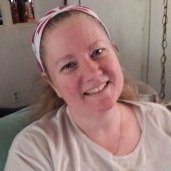
It will be 1yr on march 31 ive had the sleeve, went to my doc app today ive lost 125 pds ,got 40 more to go , plan on reaching my 40 pound goal by march 31st...and i just got a total knee replacement on dec 7th 2022...next knee replacement surgery in april 2023 ..then skin removal

Sent from my SM-A326U using BariatricPal mobile app

  • Replies 4
  • Views 849
  • Created
  • Last Reply

Top Posters In This Topic

Featured Replies

Good job!

I wouldn't put future weight loss on a schedule because as you [editorial] approach goal it usually goes tediously slow. When you only lose 30 it will make you feel like a failure rather than the success you actually will be.

But that's me. Then again, I'm a freak so I wouldn't pay much attention to me if I were you.

Good luck and continued success.

Tek

You're doing great! My dad had both of his knees replaced. I guess it was a pretty rough recovery, but after that, he was a new man. :)

Join the conversation

You can post now and register later. If you have an account, sign in now to post with your account.

Guest
Reply to this topic...

Trending Products

PatchAid Vitamin Patches

Account

Navigation

Search

Search

Configure browser push notifications

Chrome (Android)
  1. Tap the lock icon next to the address bar.
  2. Tap Permissions → Notifications.
  3. Adjust your preference.
Chrome (Desktop)
  1. Click the padlock icon in the address bar.
  2. Select Site settings.
  3. Find Notifications and adjust your preference.