Skip to content
View in the app

A better way to browse. Learn more.

BariatricPal

A full-screen app on your home screen with push notifications, badges and more.

To install this app on iOS and iPadOS
  1. Tap the Share icon in Safari
  2. Scroll the menu and tap Add to Home Screen.
  3. Tap Add in the top-right corner.
To install this app on Android
  1. Tap the 3-dot menu (⋮) in the top-right corner of the browser.
  2. Tap Add to Home screen or Install app.
  3. Confirm by tapping Install.

Tattoos/ skin removal

Hey all.

Wasn’t sure what section to post this in. Question for those with tattoos and skin removal.

I’m looking at tattoos on the front/ outside of my thighs and or the outside of my arm or shoulder blade area. I do know I want skin removal once I finish the rest of my weight loss. I am about half way.

With the skin removal did your tattoos get stretched or warp in these areas with the continue right loss?
  • Replies 3
  • Views 709
  • Created
  • Last Reply

Top Posters In This Topic

Posted Images

Featured Replies

Hi, tattoo artist with a sleeve here.

So if you'd like to avoid any and all warping, I'd recommend waiting until AFTER you get your skin removal surgery. As with skin removal surgery they cut out shapes and then pull the edges together to contour and reshape your body, if any tattoo is near the areas, it is likely going to get distorted. This is why I have personally halted getting a back suit, my stomach tattooed, anymore thigh tattoos, and anymore arm tattoos. I already have an underboob piece that is already distorted just from losing weight, and I know once I get skin removal done, it's going to be lower than where it was and it might become misshapen. If I knew id be doing this, I wouldn't have gotten the tattoo yet haha!

If you have any other questions feel free to ask [emoji847]

Sent from my IN2017 using BariatricPal mobile app

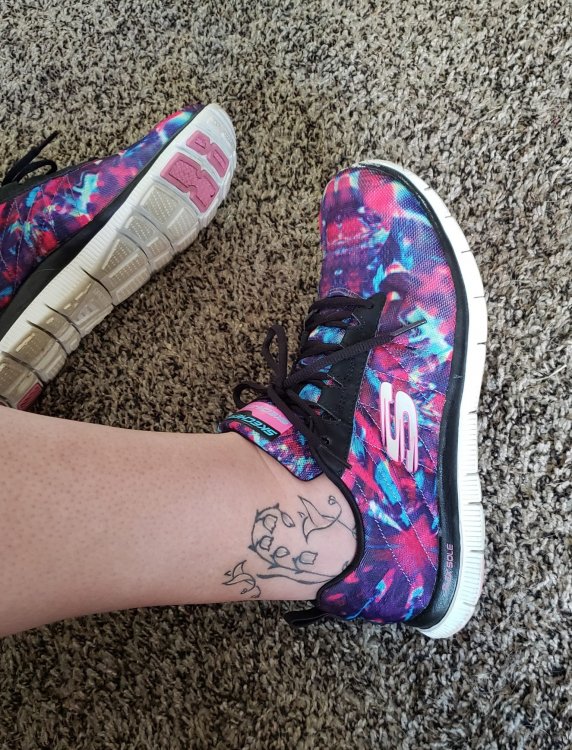
Luckily, mine are on my ankle:)

tat shoe.jpg

Really interesting question! Had not considered the ink side of skin removal. Thanks jayteee

Join the conversation

You can post now and register later. If you have an account, sign in now to post with your account.

Guest
Reply to this topic...

Trending Products

PatchAid Vitamin Patches

Account

Navigation

Search

Search

Configure browser push notifications

Chrome (Android)
  1. Tap the lock icon next to the address bar.
  2. Tap Permissions → Notifications.
  3. Adjust your preference.
Chrome (Desktop)
  1. Click the padlock icon in the address bar.
  2. Select Site settings.
  3. Find Notifications and adjust your preference.