Skip to content
View in the app

A better way to browse. Learn more.

BariatricPal

A full-screen app on your home screen with push notifications, badges and more.

To install this app on iOS and iPadOS
  1. Tap the Share icon in Safari
  2. Scroll the menu and tap Add to Home Screen.
  3. Tap Add in the top-right corner.
To install this app on Android
  1. Tap the 3-dot menu (⋮) in the top-right corner of the browser.
  2. Tap Add to Home screen or Install app.
  3. Confirm by tapping Install.

Vitamins-PreOp

  • Replies 5
  • Views 894
  • Created
  • Last Reply

Top Posters In This Topic

Most Popular Posts

  • junesbaby2016@gmail.com
    junesbaby2016@gmail.com

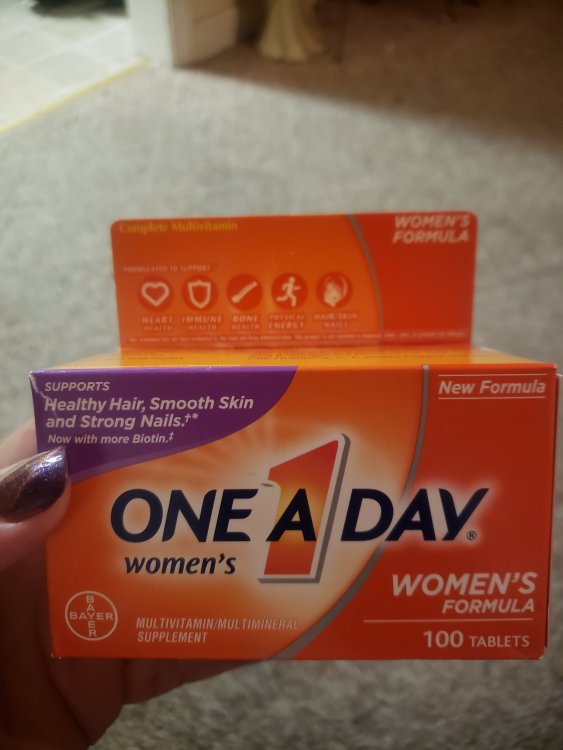
    Ok.Thank you!! She just told me a multivitamin to get used to taking them & needed 18mg of iron

  • I was told to get the Flintstones with 18% Iron they are chewable and to also not take them along with the calcium citrate to take then 2 hours before or after the calcium citrate. cause they lose the

Posted Images
Featured Replies

I would use a better one with higher dosage but for Pre Op that will be ok, Post Op No go going to need better ones

I would use a better one with higher dosage but for Pre Op that will be ok, Post Op No go going to need better ones

Can you make a suggestion on what's better because i just purchased the same ones today.

Sent from my SM-G960U using BariatricPal mobile app

That's what I am taking too

Sent from my SM-G975U using BariatricPal mobile app

  • 2 weeks later...

I was told to get the Flintstones with 18% Iron they are chewable and to also not take them along with the calcium citrate to take then 2 hours before or after the calcium citrate. cause they lose their absorption

Join the conversation

You can post now and register later. If you have an account, sign in now to post with your account.

Guest
Reply to this topic...

Trending Products

PatchAid Vitamin Patches

Account

Navigation

Search

Search

Configure browser push notifications

Chrome (Android)
  1. Tap the lock icon next to the address bar.
  2. Tap Permissions → Notifications.
  3. Adjust your preference.
Chrome (Desktop)
  1. Click the padlock icon in the address bar.
  2. Select Site settings.
  3. Find Notifications and adjust your preference.