Skip to content
View in the app

A better way to browse. Learn more.

BariatricPal

A full-screen app on your home screen with push notifications, badges and more.

To install this app on iOS and iPadOS
  1. Tap the Share icon in Safari
  2. Scroll the menu and tap Add to Home Screen.
  3. Tap Add in the top-right corner.
To install this app on Android
  1. Tap the 3-dot menu (⋮) in the top-right corner of the browser.
  2. Tap Add to Home screen or Install app.
  3. Confirm by tapping Install.
  • Appearance

Join BariatricPal free

  • Ask your own questions
  • Reply and follow topics
  • Message other members
  • No cost, no spam

Calling Dr. Bombay! Calling Dr. Bombay! (Pssst...Ken)

Hi Ken, (sorry i have chemo brain and forked your name. you may forever after be kevin in my head--or dr. bombay. :D )

Seasons' Greetings to you and yours!

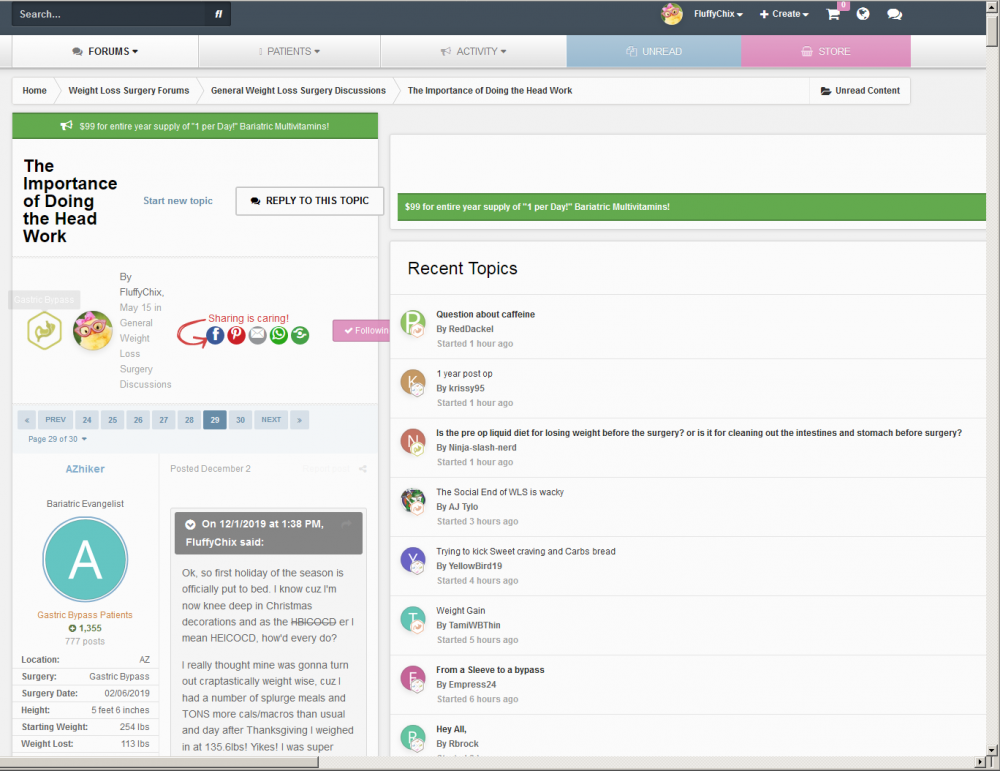
Would you mind checking into this thread please to see why it's doing this? It's like the content/reply area is all squished and the right sidebar is ginormous.

Here's a screen shot of it!

image.thumb.png.b895edc7897986f9a57da265a7ec6dcd.png

Thanks in advance!

Edited by FluffyChix

  • Replies 8
  • Views 6.7k
  • Created
  • Last Reply

Top Posters In This Topic

Most Popular Posts

  • FLuffy hit control 7 then Shift G and it will balance out - Its a flux capacitor issue on your Mod Rem Video card!

  • See below please

  • lvidacovich
    lvidacovich

    I had something similar happen last week - refreshing the page (or going to the home page and then back to the topic page) seemed to fix it. It was almost like part of the CSS didn't load before the

Posted Images
Featured Replies

I had something similar happen last week - refreshing the page (or going to the home page and then back to the topic page) seemed to fix it. It was almost like part of the CSS didn't load before the page loaded fully.

FLuffy hit control 7 then Shift G and it will balance out - Its a flux capacitor issue on your Mod Rem Video card!

  • Author
47 minutes ago, AJ Tylo said:

FLuffy hit control 7 then Shift G and it will balance out - Its a flux capacitor issue on your Mod Rem Video card!

Bahahahaha! Ok, for reals? Or will this asplode my monitor? Like, let's see if I can get her to do this boneheaded stunt and press control 7 then shift G!!! Good times! Now let's watch and see what she does!

See below please

flux.png

Flux Capacitor.jpg

  • Author

double fontaining Earl Grey is not good times. :D hahahahaha.

I just love this group!

On 12/10/2019 at 8:24 AM, FluffyChix said:

Hi Ken, (sorry i have chemo brain and forked your name. you may forever after be kevin in my head--or dr. bombay. :D )

Seasons' Greetings to you and yours!

Would you mind checking into this thread please to see why it's doing this? It's like the content/reply area is all squished and the right sidebar is ginormous.

Here's a screen shot of it!

image.thumb.png.b895edc7897986f9a57da265a7ec6dcd.png

Thanks in advance!

Hi @FluffyChix, I believe this issue should be resolved now. You may have to refresh your cache to see it updated.

If you continue to have issues, please let me know!

  • Author

Muah!!! Sending kisses Dr. Bombay!! You're the greatest!

Join the conversation

You can post as a guest; create a free account to track replies, follow topics, and be part of the largest weight loss surgery community.

Join the conversation

You can post now and register later. If you have an account, sign in now to post with your account.

Guest
Reply to this topic...

Account

Navigation

Search

Search

Configure browser push notifications

Chrome (Android)
  1. Tap the lock icon next to the address bar.
  2. Tap Permissions → Notifications.
  3. Adjust your preference.
Chrome (Desktop)
  1. Click the padlock icon in the address bar.
  2. Select Site settings.
  3. Find Notifications and adjust your preference.