Skip to content
View in the app

A better way to browse. Learn more.

BariatricPal

A full-screen app on your home screen with push notifications, badges and more.

To install this app on iOS and iPadOS
  1. Tap the Share icon in Safari
  2. Scroll the menu and tap Add to Home Screen.
  3. Tap Add in the top-right corner.
To install this app on Android
  1. Tap the 3-dot menu (⋮) in the top-right corner of the browser.
  2. Tap Add to Home screen or Install app.
  3. Confirm by tapping Install.

Ready to go

  • Replies 5
  • Views 633
  • Created
  • Last Reply

Top Posters In This Topic

Most Popular Posts

  • Thanks everyone!! Doing good today! Monday was rough. I was sore and slept (in and out) all day. I couldn't eat much and was nauseous and dry heaving once. Doc decided to keep me an extra night,

  • KimTriesRNY
    KimTriesRNY

    Hope your surgery was a success! ?

  • So how,are you feeling and doing, my friend????

Posted Images
Featured Replies

God Bless You, God be with You, God sustain You, and please post again afterwards. You are,our Vixxen90, our designated Foxy LADY, won't relax until We Know You are OKAY.???
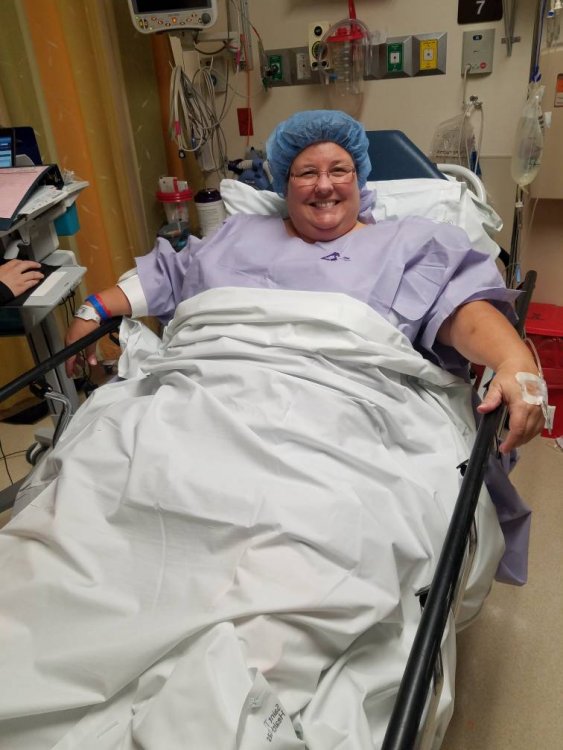
20 minutes ago, Vixxen90 said:

Surgery is at 8am! So you after...20181022_070346.jpeg

Sent from my SM-G930V using BariatricPal mobile app

Congrats and good luck!

So how,are you feeling and doing, my friend????
  • Author

Thanks everyone!! Doing good today! Monday was rough. I was sore and slept (in and out) all day. I couldn't eat much and was nauseous and dry heaving once. Doc decided to keep me an extra night, and I was grateful. Liquids went down easier yesterday and even more so today. I should be heading home today. Pain is much improved, except when I cough! Looking forward to sleeping in my own bed!

Join the conversation

You can post now and register later. If you have an account, sign in now to post with your account.

Guest
Reply to this topic...

Trending Products

PatchAid Vitamin Patches

Account

Navigation

Search

Search

Configure browser push notifications

Chrome (Android)
  1. Tap the lock icon next to the address bar.
  2. Tap Permissions → Notifications.
  3. Adjust your preference.
Chrome (Desktop)
  1. Click the padlock icon in the address bar.
  2. Select Site settings.
  3. Find Notifications and adjust your preference.