Skip to content
View in the app

A better way to browse. Learn more.

BariatricPal

A full-screen app on your home screen with push notifications, badges and more.

To install this app on iOS and iPadOS
  1. Tap the Share icon in Safari
  2. Scroll the menu and tap Add to Home Screen.
  3. Tap Add in the top-right corner.
To install this app on Android
  1. Tap the 3-dot menu (⋮) in the top-right corner of the browser.
  2. Tap Add to Home screen or Install app.
  3. Confirm by tapping Install.
  • Appearance

Join BariatricPal free

  • Ask your own questions
  • Reply and follow topics
  • Message other members
  • No cost, no spam

Today marks 1 year!

  • Popular Post

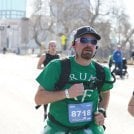
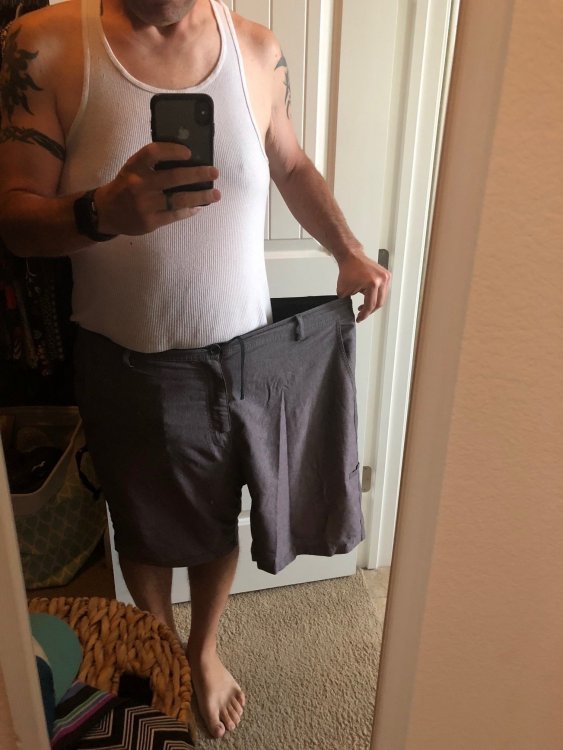
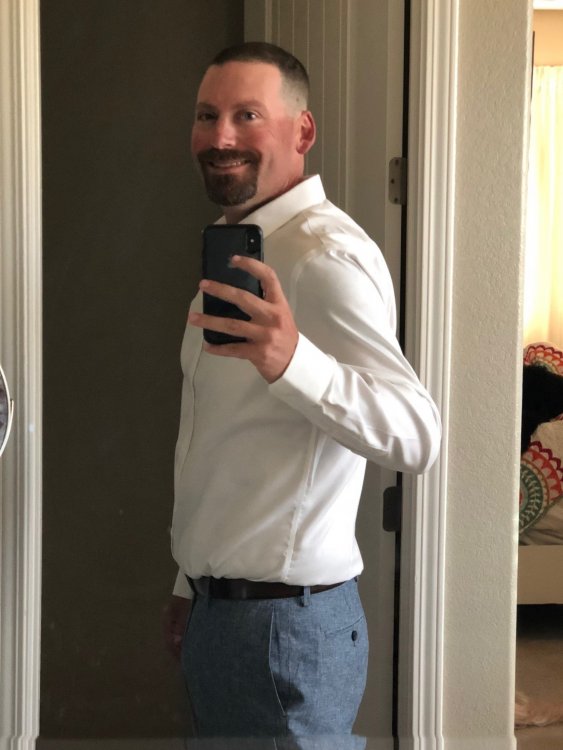
I was sleeved 10/16/17 with a highest weight of 347, surgery weight of 283. This morning I weighed 174.2! What a year it has been. Ups and downs, struggles and successes, and figuring out the new me. I was a 3xl shirt and 44" waist, and am now wearing a Large slim fit shirt and 32" pants. Life is much more enjoyable with my new found energy, ability to move around, and to squeeze through places I never thought of before. The year has flown by pretty quickly, and I am so happy to have made the decision to go forward with surgery.

IMG_0147.jpg

IMG_0404.JPG

IMG_0352.JPG

IMG_1212.JPG

IMG_0073.jpg

IMG_0149.jpg

IMG_0962.jpg

IMG_1032.jpg

  • Replies 17
  • Views 3k
  • Created
  • Last Reply

Top Posters In This Topic

Most Popular Posts

  • @MG1776 Congrats man, that's awesome!

  • You look like a whole different man. l love all the varying pics to see your amazing transformation. I was going to say your growth, but it's def loss.

  • Congrats dude!! You look amazing and so dang healthy and happy!! Be proud!!

Posted Images

Featured Replies

Wow you look great. Your hard work has paid off congratulations

Join the conversation

You can post as a guest; create a free account to track replies, follow topics, and be part of the largest weight loss surgery community.

Join the conversation

You can post now and register later. If you have an account, sign in now to post with your account.

Guest
Reply to this topic...

Account

Navigation

Search

Search

Configure browser push notifications

Chrome (Android)
  1. Tap the lock icon next to the address bar.
  2. Tap Permissions → Notifications.
  3. Adjust your preference.
Chrome (Desktop)
  1. Click the padlock icon in the address bar.
  2. Select Site settings.
  3. Find Notifications and adjust your preference.