Skip to content
View in the app

A better way to browse. Learn more.

BariatricPal

A full-screen app on your home screen with push notifications, badges and more.
To install this app on iOS and iPadOS
  1. Tap the Share icon in Safari
  2. Scroll the menu and tap Add to Home Screen.
  3. Tap Add in the top-right corner.
To install this app on Android
  1. Tap the 3-dot menu (⋮) in the top-right corner of the browser.
  2. Tap Add to Home screen or Install app.
  3. Confirm by tapping Install.

New Baby

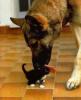
Just wanted to share our new baby... well, it's really Chloe's, but since Chloe practically lives here, looks like we have a new baby to love. Meet Cooper. I don't like the name, but it's what Chloe calls it. It's Shitzu and Beagle.

post-203981-13813131614382_thumb.jpg

  • Replies 68
  • Views 5.2k
  • Created
  • Last Reply

Top Posters In This Topic

Posted Images

Featured Replies

How cute, our pup is now 8 months and we just had her spayed. She is so much fun. They grow up fast. What a nice addition to your family.

Okay... that's just darn cute!

  • Author

Not many things beat a puppy sleeping in a basket, do they? Well, I guess a whole basket full of them could top it. I was really offended when Babs took the baby home last night. Geeze, some people! I want to see more puppy pics... post, please!

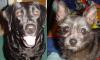
The love of my life, son Max (gone to the great fire hydrant in the sky :( ), and our late adoptee, Sadie (also gone to the great fire hydrant in the sky :P ), and Mom's pomeranian Mitzi Sue when she was a baby.

Max and Sadie are sorely missed, but I'm so grateful for all the joy they brought to my life while they were here. :D

post-203690-13813131615899_thumb.jpg

Join the conversation

You can post now and register later. If you have an account, sign in now to post with your account.

Guest
Reply to this topic...

Trending Products

PatchAid Vitamin Patches

Account

Navigation

Search

Search

Configure browser push notifications

Chrome (Android)
  1. Tap the lock icon next to the address bar.
  2. Tap Permissions → Notifications.
  3. Adjust your preference.
Chrome (Desktop)
  1. Click the padlock icon in the address bar.
  2. Select Site settings.
  3. Find Notifications and adjust your preference.