Skip to content
View in the app

A better way to browse. Learn more.

BariatricPal

A full-screen app on your home screen with push notifications, badges and more.

To install this app on iOS and iPadOS
  1. Tap the Share icon in Safari
  2. Scroll the menu and tap Add to Home Screen.
  3. Tap Add in the top-right corner.
To install this app on Android
  1. Tap the 3-dot menu (⋮) in the top-right corner of the browser.
  2. Tap Add to Home screen or Install app.
  3. Confirm by tapping Install.

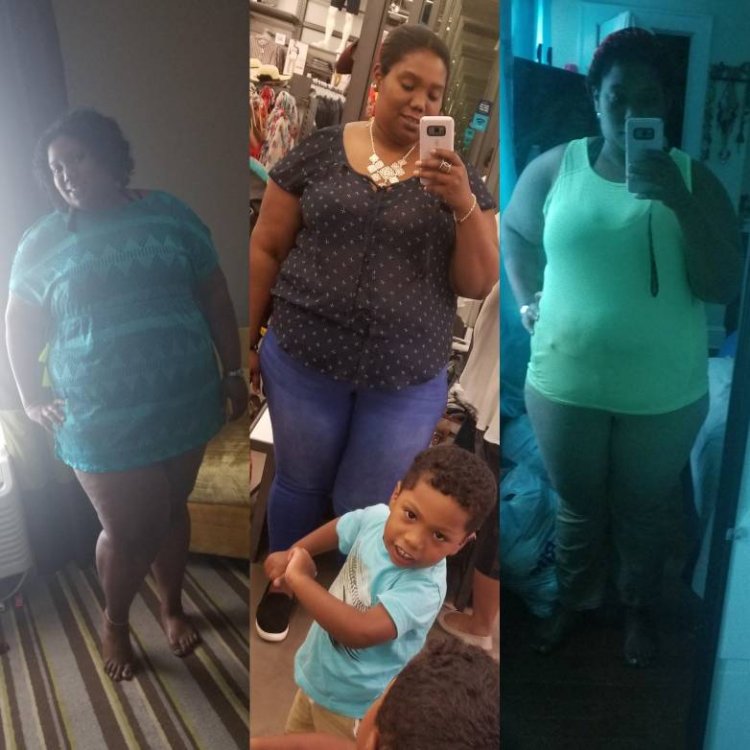
First month 28 pound down

  • Replies 6
  • Views 607
  • Created
  • Last Reply

Top Posters In This Topic

Featured Replies

Congrats to you!!!! Looking wonderful and very happy. Yesterday was my week 4 mark and I hit the same mark. 342lbs day of surgery 314lbs yesterday. Sunday the 12th marks 1 month by calendar date, hoping to drop 2lbs and make 30lbs lost. Again congrats to you and great job!!! Keep up the GREAT work!!!!!!!!

  • Author
Congrats to you!!!! Looking wonderful and very happy. Yesterday was my week 4 mark and I hit the same mark. 342lbs day of surgery 314lbs yesterday. Sunday the 12th marks 1 month by calendar date, hoping to drop 2lbs and make 30lbs lost. Again congrats to you and great job!!! Keep up the GREAT work!!!!!!!!
Thanks so much

Sent from my SM-G950U using BariatricPal mobile app

  • Author
Congrats to you!!!! Looking wonderful and very happy. Yesterday was my week 4 mark and I hit the same mark. 342lbs day of surgery 314lbs yesterday. Sunday the 12th marks 1 month by calendar date, hoping to drop 2lbs and make 30lbs lost. Again congrats to you and great job!!! Keep up the GREAT work!!!!!!!!
Congratulations to u too

Sent from my SM-G950U using BariatricPal mobile app

Congrats, good work!

Join the conversation

You can post now and register later. If you have an account, sign in now to post with your account.

Guest
Reply to this topic...

Trending Products

PatchAid Vitamin Patches

Account

Navigation

Search

Search

Configure browser push notifications

Chrome (Android)
  1. Tap the lock icon next to the address bar.
  2. Tap Permissions → Notifications.
  3. Adjust your preference.
Chrome (Desktop)
  1. Click the padlock icon in the address bar.
  2. Select Site settings.
  3. Find Notifications and adjust your preference.