Skip to content
View in the app

A better way to browse. Learn more.

BariatricPal

A full-screen app on your home screen with push notifications, badges and more.

To install this app on iOS and iPadOS
  1. Tap the Share icon in Safari
  2. Scroll the menu and tap Add to Home Screen.
  3. Tap Add in the top-right corner.
To install this app on Android
  1. Tap the 3-dot menu (⋮) in the top-right corner of the browser.
  2. Tap Add to Home screen or Install app.
  3. Confirm by tapping Install.

Good morning!!

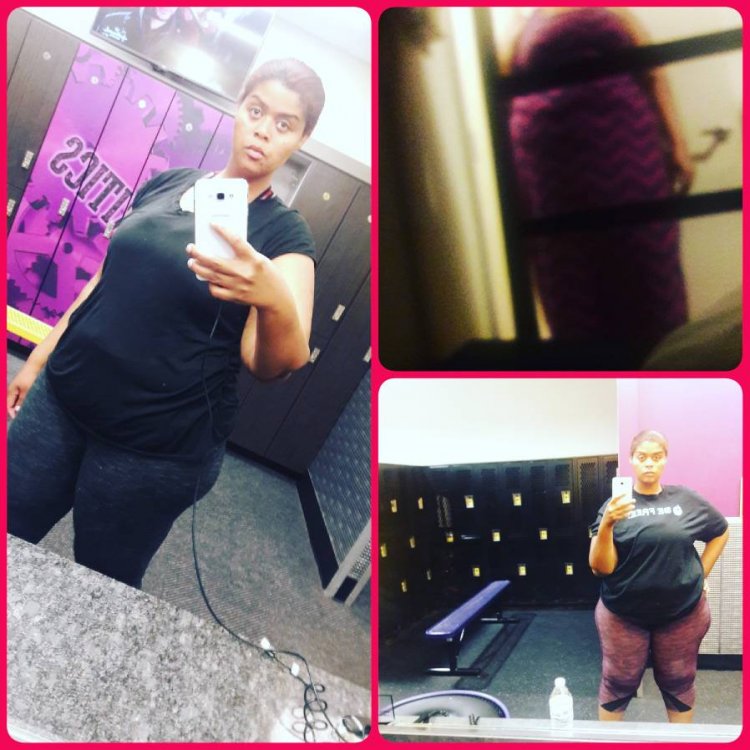
Hey everyone just wanted to post my picture.. and to tell everyone to Kelly up the good work!! 3 pictures the one in the dress was the day of surgery, second one at the bottom was last week and killing pictures was today at the gym.[emoji16] WE CAN DO IT!!!![emoji16][emoji16][emoji16][emoji16]IMG_20171203_092922_035.jpg

Sent from my SM-J700T using BariatricPal mobile app

  • Replies 10
  • Views 939
  • Created
  • Last Reply

Featured Replies

Wish u continued success!!

Sent from my SM-G950U using BariatricPal mobile app

YAY!!! You have definitely changed things up!! KEEP ON KEEPING ON!!

Archived

This topic is now archived and is closed to further replies.

Trending Products

PatchAid Vitamin Patches

Account

Navigation

Search

Search

Configure browser push notifications

Chrome (Android)
  1. Tap the lock icon next to the address bar.
  2. Tap Permissions → Notifications.
  3. Adjust your preference.
Chrome (Desktop)
  1. Click the padlock icon in the address bar.
  2. Select Site settings.
  3. Find Notifications and adjust your preference.