Skip to content
View in the app

A better way to browse. Learn more.

BariatricPal

A full-screen app on your home screen with push notifications, badges and more.

To install this app on iOS and iPadOS
  1. Tap the Share icon in Safari
  2. Scroll the menu and tap Add to Home Screen.
  3. Tap Add in the top-right corner.
To install this app on Android
  1. Tap the 3-dot menu (⋮) in the top-right corner of the browser.
  2. Tap Add to Home screen or Install app.
  3. Confirm by tapping Install.

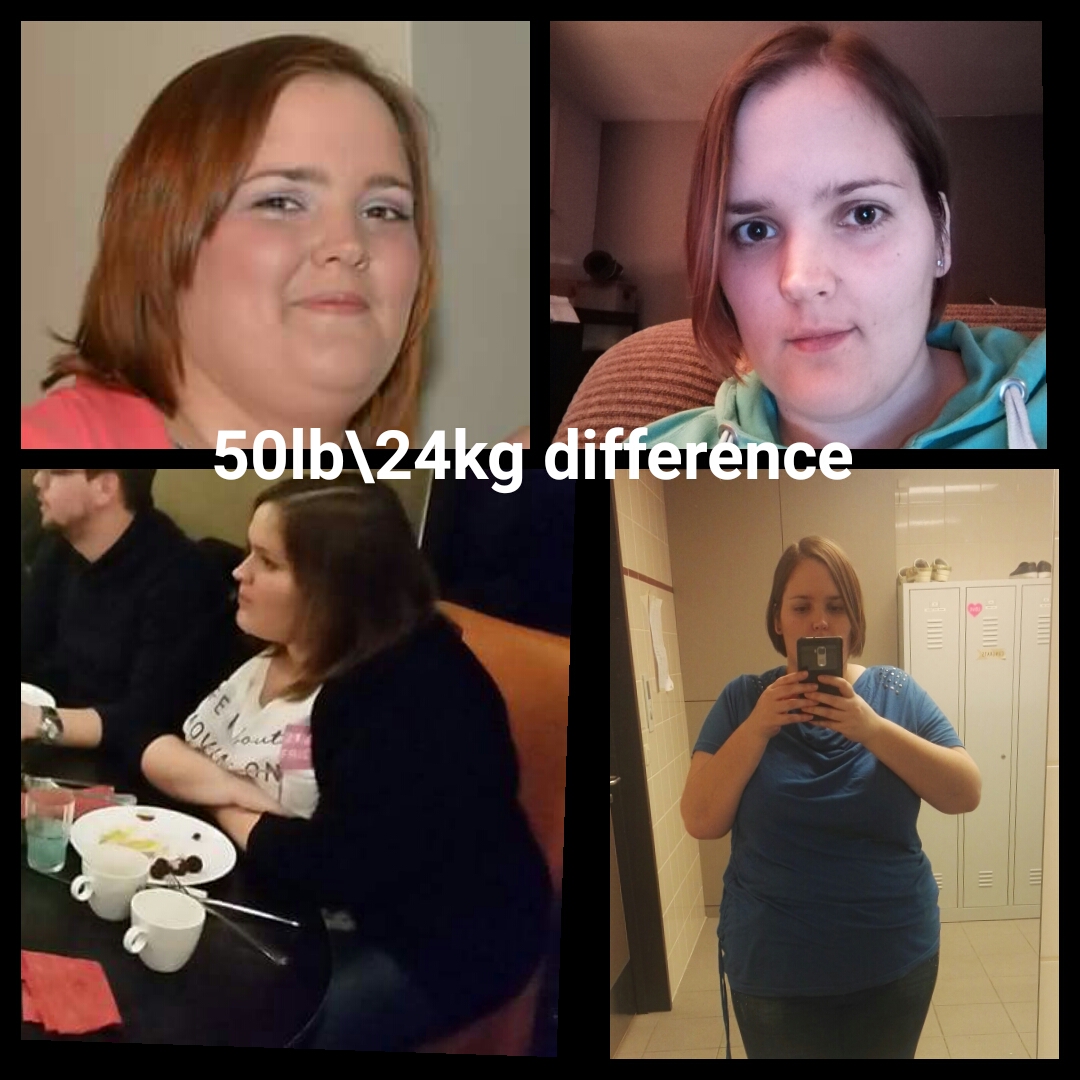
2 months post op progress

So i wasnt really seeing the difference, I know I lost weight but it didn't seem much untill I put these pictures together. Picture quality isn't great because I hated the camera so not many pictures show how bad I had gotten... Still don't like camera's [emoji14]
2d0j1w2.jpg
Still have a long way, but I'm pretty proud seeing this


  • Replies 20
  • Views 3.9k
  • Created
  • Last Reply

Featured Replies

Awesome [emoji122] keep up the good work!


Aka_ET

HW-220
Pre-op 194.3
RNY
SD June 16th 2017
CW-185
GW-140
HT 5' 3"
[emoji120][emoji878][emoji1272]

"You may see me struggle but you will never see me quit"

  • 3 months later...

You lost a lot of weight and you look great!


You look amazing!

Sent from my SAMSUNG-SM-N910A using BariatricPal mobile app

Archived

This topic is now archived and is closed to further replies.

Trending Products

PatchAid Vitamin Patches

Account

Navigation

Search

Search

Configure browser push notifications

Chrome (Android)
  1. Tap the lock icon next to the address bar.
  2. Tap Permissions → Notifications.
  3. Adjust your preference.
Chrome (Desktop)
  1. Click the padlock icon in the address bar.
  2. Select Site settings.
  3. Find Notifications and adjust your preference.