Skip to content
View in the app

A better way to browse. Learn more.

BariatricPal

A full-screen app on your home screen with push notifications, badges and more.

To install this app on iOS and iPadOS
  1. Tap the Share icon in Safari
  2. Scroll the menu and tap Add to Home Screen.
  3. Tap Add in the top-right corner.
To install this app on Android
  1. Tap the 3-dot menu (⋮) in the top-right corner of the browser.
  2. Tap Add to Home screen or Install app.
  3. Confirm by tapping Install.

Can't believe it

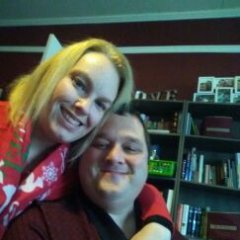
Every time I see pics like this I'm in awe. 6 years ago myrtle beach and last week myrtle beach trip 85377ca0eb64c992b1d8fd73e53a088a.jpg

  • Replies 10
  • Views 690
  • Created
  • Last Reply

Featured Replies

How INCREDIBLE!!! Isn't it amazing to see how many years comes off our appearance just by the weight loss? Absolutely amazing. You are beautiful, before and after!

Wow...I am in awe of you. Congratulations!


  • Author
Wow ! So awesome for you!. I pray I get there. Seems I'm losing slooowwww...


You will


  • Author

I am so close to onederland but not there yet. I can't even imagine being under 200


Archived

This topic is now archived and is closed to further replies.

Trending Products

PatchAid Vitamin Patches

Account

Navigation

Search

Search

Configure browser push notifications

Chrome (Android)
  1. Tap the lock icon next to the address bar.
  2. Tap Permissions → Notifications.
  3. Adjust your preference.
Chrome (Desktop)
  1. Click the padlock icon in the address bar.
  2. Select Site settings.
  3. Find Notifications and adjust your preference.