Skip to content
View in the app

A better way to browse. Learn more.

BariatricPal

A full-screen app on your home screen with push notifications, badges and more.

To install this app on iOS and iPadOS
  1. Tap the Share icon in Safari
  2. Scroll the menu and tap Add to Home Screen.
  3. Tap Add in the top-right corner.
To install this app on Android
  1. Tap the 3-dot menu (⋮) in the top-right corner of the browser.
  2. Tap Add to Home screen or Install app.
  3. Confirm by tapping Install.

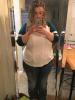
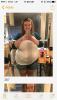
40lbs down! (Pics)

  • Replies 20
  • Views 1.8k
  • Created
  • Last Reply

Featured Replies

Wow, you are gorgeous! Great job!

Don't look back, turn the page, and let your next chapter begin!

That's amazing! I am in my 2nd week post open and I actually gained 2 lbs. How did you do the diet plan?

Sent from my SM-N920P using the BariatricPal App

Babygirl could it just be swelling do you think?

Sent from my iPhone using the BariatricPal App

Hello sorry for the delay. Still trying to figure out the app. Can't tell if someone is responding or just posting. I don't think it's Water weight. I told my doctor I am snacking late in the evening but he it's not a real concern but advised me to start walking and the weight loss should improve. Don't laugh ut starting today on the treadmill. Hey its the holiday I deserve a slip.

Sent from my SM-N920P using the BariatricPal App

Your really coming down nicely ; 0 ) I wanna be like you! lol

Archived

This topic is now archived and is closed to further replies.

Trending Products

PatchAid Vitamin Patches

Account

Navigation

Search

Search

Configure browser push notifications

Chrome (Android)
  1. Tap the lock icon next to the address bar.
  2. Tap Permissions → Notifications.
  3. Adjust your preference.
Chrome (Desktop)
  1. Click the padlock icon in the address bar.
  2. Select Site settings.
  3. Find Notifications and adjust your preference.