




First NUT appointment DONE[emoji16]
- Replies 7
- Views 666
- Created
- Last Reply
Top Posters In This Topic
-
Jane1979 2 posts
-
jaadan79 2 posts
-
healingsoul 2 posts
-
heidikat72 1 post




Popular Days
Most Popular Posts
-
looks like a very sensible and manageable pre-op plan. you will be so thankful afterwards that you started making changes now. You can do it gradually now so it isn't quite the unbearable shock to you
-
Hey Jersey Girl!! I wish you the best of luck! I've started making changes now as recommended by my NUT. Sent from my iPhone using the BariatricPal App
-
Awesome! I hope my pre-op diet is similar. I've read a few that sound brutal. Sent from my SM-S765C using the BariatricPal App
Posted Images
Featured Replies
Join the conversation
You can post as a guest; create a free account to track replies, follow topics, and be part of the largest weight loss surgery community.
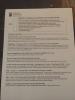
Just got home from my first NUT appointment. I found out that I will not be doing a liquid PREOP diet until night before surgery. They just want me to change my eating and no pre set amount of weight to lose. As long as I don't gain weight.
Sent from my iPhone using the BariatricPal App