Skip to content
View in the app

A better way to browse. Learn more.

BariatricPal

A full-screen app on your home screen with push notifications, badges and more.

To install this app on iOS and iPadOS
  1. Tap the Share icon in Safari
  2. Scroll the menu and tap Add to Home Screen.
  3. Tap Add in the top-right corner.
To install this app on Android
  1. Tap the 3-dot menu (⋮) in the top-right corner of the browser.
  2. Tap Add to Home screen or Install app.
  3. Confirm by tapping Install.

Weightloss Roll Call!

  • Replies 41
  • Views 3.8k
  • Created
  • Last Reply

Featured Replies

I've lost 13 pounds in 4 weeks, 16 days of which I was stalled and didn't lose anything :-(

I'm at 8 weeks and down to 212.6 as of this morning putting me at 40 lbs lost since surgery

4 weeks after surgery 19 lbs

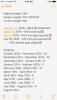
HW 341 lbs

07/19/16 - 298 lbs

08/09/16 DOS - 286 lbs

CW 267 lbs

  • Author

I'm at 8 weeks and down to 212.6 as of this morning putting me at 40 lbs lost since surgery

OMG really??! We I'm about 250 now... Hoping to get down to 245 before my surgery in October!

At 8 weeks I was down 30. I'm 10 weeks tomorrow and I'm down 41. After this weekend, I'm probably up 5

Sent from my iPhone using the BariatricPal App

Archived

This topic is now archived and is closed to further replies.

Trending Products

PatchAid Vitamin Patches

Account

Navigation

Search

Search

Configure browser push notifications

Chrome (Android)
  1. Tap the lock icon next to the address bar.
  2. Tap Permissions → Notifications.
  3. Adjust your preference.
Chrome (Desktop)
  1. Click the padlock icon in the address bar.
  2. Select Site settings.
  3. Find Notifications and adjust your preference.