




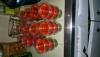
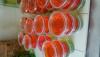
Getting ready coming home after surgery.
- Replies 20
- Views 2.3k
- Created
- Last Reply
Top Posters In This Topic
-
rimmarrufo 4 posts
-
Shaunie 3 posts
-
Kyn13 2 posts
-
Gripp 1 post




Most Popular Posts
-
Lol...the last time my frig looked like that we were having a party and those had vodka in them!
-
That's such a really good idea !!!!! I may have to borrow this !! Sent from my SAMSUNG-SM-G870A using the BariatricPal App
-
Yeah.....so my first thought was Jello shots with liquor and I just had to check out the post. Sadly, I never thought of making these without the booze! Lol! Sent from my KFASWI using the Bariatric


Posted Images
Featured Replies
Join the conversation
You can post as a guest; create a free account to track replies, follow topics, and be part of the largest weight loss surgery community.
My 2 ounce Protein clear liquid.
Mrs. Marrufo Phone