Skip to content
View in the app

A better way to browse. Learn more.

BariatricPal

A full-screen app on your home screen with push notifications, badges and more.

To install this app on iOS and iPadOS
  1. Tap the Share icon in Safari
  2. Scroll the menu and tap Add to Home Screen.
  3. Tap Add in the top-right corner.
To install this app on Android
  1. Tap the 3-dot menu (⋮) in the top-right corner of the browser.
  2. Tap Add to Home screen or Install app.
  3. Confirm by tapping Install.

Before and After!

  • Replies 26
  • Views 2.1k
  • Created
  • Last Reply

Featured Replies

Great job!!!

Craig Martinez

Austin, Texas

post-287988-14635360061121_thumb.jpg

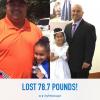
Here is my before and I'm still working picture.

Craig Martinez

Austin, Texas

You are amazing yourself, I just started hitting the gym this morning, how many calories are you eating a day?

Craig Martinez

Austin, Texas

I drink 3 premier Protein drinks a day, but I have been eating around 1000-1300 calories a day

Before gym Protein Drink

Get home and eat 1 egg beater

10am yogurt

11:30 protein drink

12 pm can of Soup

3 pm apple sauce

5 protein drink

7 pm 1/2 chicken breast with veggies

Craig Martinez

Austin, Texas

How long have you been doing the premier Protein drinks? Dang, 3 time a day! I can only handle one a day, if that. I just got tired of them! I'm trying to keep cheese and chicken chunks at work for in between protein Snacks, but I still come out short most days. You've also done an awesome job! Way to go! jake

I drink 3 premier Protein Drinks a day, but I have been eating around 1000-1300 calories a day
Before gym protein drink
Get home and eat 1 egg beater
10am yogurt
11:30 protein drink
12 pm can of soup
3 pm apple sauce
5 protein drink
7 pm 1/2 chicken breast with veggies


Craig Martinez
Austin, Texas

Nomo

Since before my surgery

Craig Martinez

Austin, Texas

Archived

This topic is now archived and is closed to further replies.

Trending Products

PatchAid Vitamin Patches

Account

Navigation

Search

Search

Configure browser push notifications

Chrome (Android)
  1. Tap the lock icon next to the address bar.
  2. Tap Permissions → Notifications.
  3. Adjust your preference.
Chrome (Desktop)
  1. Click the padlock icon in the address bar.
  2. Select Site settings.
  3. Find Notifications and adjust your preference.