Skip to content
View in the app

A better way to browse. Learn more.

BariatricPal

A full-screen app on your home screen with push notifications, badges and more.

To install this app on iOS and iPadOS
  1. Tap the Share icon in Safari
  2. Scroll the menu and tap Add to Home Screen.
  3. Tap Add in the top-right corner.
To install this app on Android
  1. Tap the 3-dot menu (⋮) in the top-right corner of the browser.
  2. Tap Add to Home screen or Install app.
  3. Confirm by tapping Install.
  • Appearance

Join BariatricPal free

  • Ask your own questions
  • Reply and follow topics
  • Message other members
  • No cost, no spam

UPDATE: We've updated the BariatricPal iOS and Android Apps!

Do you access BariatricPal from your smartphone or other mobile device? You need to hear this important announcement!

It’s time to update the BariatricPal app. We've added tons of improvements and bug fixes.

To get your app:

The apps are available right now. Take 30 seconds to update your free app to make sure you stay connected with BariatricPal!

If you haven’t already been using BariatricPal’s mobile app, you might want to try it out. You can access all of the BariatricPal forums and features you love from your iOS or Android device, so you can connect with the community from anywhere.

Thanks as always for your support!

Screen Shot 2016-02-23 at 3.14.11 PM.png

  • Replies 67
  • Views 4.9k
  • Created
  • Last Reply

Top Posters In This Topic

Most Popular Posts

  • I did that as a temporary measure, but I'd still like to actually get notifications. I just want them to actually clear after I go in the app and see whatever it is the notification is for. All other

  • Yeah, but the app should be clearing them when you open it up. That's how other apps work Something to fix for the next update. While on the subject of notifications, it would be nice if the items

  • Alex Brecher
    Alex Brecher

    Not really at the moment. We just started working on brand new versions of our app a few weeks ago that will support this and many other features as well. We are going to have separate apps for iPhone


Posted Images
Featured Replies

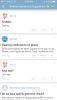
One question, in the old version we had the option to see threads we participated in. I'm not seeing that in the new version. Are they in the subscribed link?

  • Author

One question, in the old version we had the option to see threads we participated in. I'm not seeing that in the new version. Are they in the subscribed link?

Are on iOS or Android? See attached pic if you're on iOS please.

ImageUploadedByBariatricPal1455732884.348089.jpg

Sent from my iPhone using BariatricPal App

One question, in the old version we had the option to see threads we participated in. I'm not seeing that in the new version. Are they in the subscribed link?

Are on iOS or Android? See attached pic if you're on iOS please.

attachicon.gif ImageUploadedByBariatricPal1455732884.348089.jpg

Sent from my iPhone using BariatricPal App

It's there now, it wasn't initially. Thanks!

  • Author

One question, in the old version we had the option to see threads we participated in. I'm not seeing that in the new version. Are they in the subscribed link?

Are on iOS or Android? See attached pic if you're on iOS please.

attachicon.gif ImageUploadedByBariatricPal1455732884.348089.jpg

Sent from my iPhone using BariatricPal App

It's there now, it wasn't initially. Thanks!

You weren't logged in

Sent from my iPhone using BariatricPal App

I don't have a participated tab, just subscribed. I'm logged in

Just to let you know, I was logged in because it still showed my profile and I updated my picture I haven't had to log back in yet. I'm on iOS. [emoji4]

I do like it. I'm on iOS. Seems more stable, though I have noticed some incremental improvements in the old version. One question, when you are on the timeline, why when you want to go the post you are seeing, you go to post #1?

  • Author

I do like it. I'm on iOS. Seems more stable, though I have noticed some incremental improvements in the old version. One question, when you are on the timeline, why when you want to go the post you are seeing, you go to post #1?

You're saying it should go to the 1st unread post, correct?

I've also noticed when I am on the time line it doesn't seem to be marking the posts I've already read as read. It shows them again even if nobody else has posted, even after I refresh it. They remain bold, as if I've not read them.

Sent from my SM-N910P using BariatricPal App

Edited by HopeandAgony

Using ipad

Participated now showing

I do like it. I'm on iOS. Seems more stable, though I have noticed some incremental improvements in the old version. One question, when you are on the timeline, why when you want to go the post you are seeing, you go to post #1?

You're saying it should go to the 1st unread post, correct?

It seems strange that if you touch on the name of the thread you go to the post you see in the time line, but if you touch where the post is you go to post #1, or is it sending me to the first unread?

  • Author

I do like it. I'm on iOS. Seems more stable, though I have noticed some incremental improvements in the old version. One question, when you are on the timeline, why when you want to go the post you are seeing, you go to post #1?

You're saying it should go to the 1st unread post, correct?

It seems strange that if you touch on the name of the thread you go to the post you see in the time line, but if you touch where the post is you go to post #1, or is it sending me to the first unread?

"or is it sending me to the first unread?"

I believe this is exactly what it's doing.

Join the conversation

You can post as a guest; create a free account to track replies, follow topics, and be part of the largest weight loss surgery community.

Join the conversation

You can post now and register later. If you have an account, sign in now to post with your account.

Guest
Reply to this topic...

Account

Navigation

Search

Search

Configure browser push notifications

Chrome (Android)
  1. Tap the lock icon next to the address bar.
  2. Tap Permissions → Notifications.
  3. Adjust your preference.
Chrome (Desktop)
  1. Click the padlock icon in the address bar.
  2. Select Site settings.
  3. Find Notifications and adjust your preference.