Skip to content
View in the app

A better way to browse. Learn more.

BariatricPal

A full-screen app on your home screen with push notifications, badges and more.

To install this app on iOS and iPadOS
  1. Tap the Share icon in Safari
  2. Scroll the menu and tap Add to Home Screen.
  3. Tap Add in the top-right corner.
To install this app on Android
  1. Tap the 3-dot menu (⋮) in the top-right corner of the browser.
  2. Tap Add to Home screen or Install app.
  3. Confirm by tapping Install.
  • Appearance

Join BariatricPal free

  • Ask your own questions
  • Reply and follow topics
  • Message other members
  • No cost, no spam

How do you take good before photos?

I try not to let ANYONE take my photo. But now I want one to compare to my after. I don't own a swimsuit. Any suggestions for great photo comparisons? My last photo that I took.....

  • Replies 8
  • Views 821
  • Created
  • Last Reply

Top Posters In This Topic

Most Popular Posts

  • It's nice and easy with digital cameras and phones these days! I got black Shorts and tank top and stood against the same wall once a month wearing them (got to keep downsizing but a simple black tan

  • Healthy_life2
    Healthy_life2

    @JellyBellyNoMore. Very nice photo that you posted above. What ever works best for you to document. My husband took photos of me. The first was my day at the hospital for surgery. I did not apprec

  • if you really want to take a good before pic just smile. You're lovely :-)

Posted Images
Featured Replies

I try not to let ANYONE take my photo. But now I want one to compare to my after. I don't own a swimsuit. Any suggestions for great photo comparisons? My last photo that I took..... attachicon.gifIMG_0866.jpg

@@JellyBellyNoMore Where in California are you? I'm a photographer and would be happy to take photos for you if you are local! :)

@JellyBellyNoMore.

Very nice photo that you posted above.

What ever works best for you to document. My husband took photos of me. The first was my day at the hospital for surgery. I did not appreciate it at the time but actually it worked well.. Then after surgery he took a photo of me each month in front of our fire place. I did a forward facing and a side photo each month.

You can always go to the before and after posts to get ideas. Have fun with it.

if you really want to take a good before pic just smile. You're lovely :-)

  • Author

Thanks everyone! Now how do I remove this topic. Total newbie here

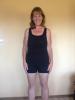
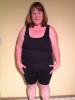
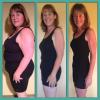
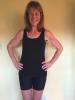
It's nice and easy with digital cameras and phones these days! I got black Shorts and tank top and stood against the same wall once a month wearing them (got to keep downsizing but a simple black tank and shorts were easy!). I had my teen pull up the old photos on my phone to compare and get the same angles!

post-194772-14410964800404_thumb.jpgpost-194772-14410966056756_thumb.jpgpost-194772-14410966240434_thumb.jpgpost-194772-14410966657132_thumb.jpg

I'm doing the same thing as @jess9395. Like, exactly... black tank top and black bike shorts. I have my husband take them in our upstairs hallway. I stand against the bathroom door, and he stands lined up with the end of a bookcase, so that we keep the distance and angles the same every time. We do front, back, and side views, and a face close-up. We started the night before I started my pre-op diet (and I now wish that we'd started after my first appointment, because I lost about 15 pounds between then and starting pre-op), took more the night before surgery, and now once a month. It's awesome to see the progress!

I did mine the morning of my surgery, in my (black) panties and sports bra...you could also do bike shorts...anything fitted...even leggings

Good Luck!!

  • 3 months later...

I did mine in a bra and panties. I wanted to see it ALL. My husband took the photos. You could do a selfie in the mirror.

Join the conversation

You can post as a guest; create a free account to track replies, follow topics, and be part of the largest weight loss surgery community.

Join the conversation

You can post now and register later. If you have an account, sign in now to post with your account.

Guest
Reply to this topic...

Account

Navigation

Search

Search

Configure browser push notifications

Chrome (Android)
  1. Tap the lock icon next to the address bar.
  2. Tap Permissions → Notifications.
  3. Adjust your preference.
Chrome (Desktop)
  1. Click the padlock icon in the address bar.
  2. Select Site settings.
  3. Find Notifications and adjust your preference.