Skip to content
View in the app

A better way to browse. Learn more.

BariatricPal

A full-screen app on your home screen with push notifications, badges and more.

To install this app on iOS and iPadOS
  1. Tap the Share icon in Safari
  2. Scroll the menu and tap Add to Home Screen.
  3. Tap Add in the top-right corner.
To install this app on Android
  1. Tap the 3-dot menu (⋮) in the top-right corner of the browser.
  2. Tap Add to Home screen or Install app.
  3. Confirm by tapping Install.

Sooooo cute ha!

  • Popular Post

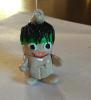
So I saw this design on-line and I made my own first "sleeve tummy"ornament out of clay!! I put the surgery date on the back! Oh, it's going on the tree! Cracks the family up!

post-237766-0-15532000-1417188647_thumb.jpg

  • Replies 9
  • Views 696
  • Created
  • Last Reply

Featured Replies

I love it too. Maybe I could modifiy the design to be a version of Frankensleeve. :o

post-147109-0-60025100-1394411520_thumb.jpg

Oh my gosh! That's brilliant!! I've been looking for a new crafty project! I should do a sleeved theme. Thanks for the inspiration :lol:

  • Author

@ Your welcome! It wasn't too hard..it's the first time I've ever worked with clay so I'm impressed with myself :)

  • Author

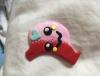
Lol!!! Fail!! Nope my yours is too hard!!! My daughters dying! He's going in the trash! Now remember this is my first time working with clay sooooo......

  • Author

It wouldn't let me add the pic to my last post so here ya go! Enjoy my exceptional artistic ability lol!!!

post-237766-0-11390700-1417213346_thumb.jpg

Archived

This topic is now archived and is closed to further replies.

Trending Products

PatchAid Vitamin Patches

Account

Navigation

Search

Search

Configure browser push notifications

Chrome (Android)
  1. Tap the lock icon next to the address bar.
  2. Tap Permissions → Notifications.
  3. Adjust your preference.
Chrome (Desktop)
  1. Click the padlock icon in the address bar.
  2. Select Site settings.
  3. Find Notifications and adjust your preference.