Skip to content
View in the app

A better way to browse. Learn more.

BariatricPal

A full-screen app on your home screen with push notifications, badges and more.

To install this app on iOS and iPadOS
  1. Tap the Share icon in Safari
  2. Scroll the menu and tap Add to Home Screen.
  3. Tap Add in the top-right corner.
To install this app on Android
  1. Tap the 3-dot menu (⋮) in the top-right corner of the browser.
  2. Tap Add to Home screen or Install app.
  3. Confirm by tapping Install.
  • Appearance

Join BariatricPal free

  • Ask your own questions
  • Reply and follow topics
  • Message other members
  • No cost, no spam

22 here. Instagram?

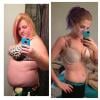
Nearly 20 days post op ( can't believe it's been that long!) I've been keeping up semi regular posts on Instagram, if anyone would like to follow, feel free :) just comment on a picture with BP so I know to follow back!

Instagram- wwled

Also, anyone else 22 and sleeved?

  • Replies 126
  • Views 11.5k
  • Created
  • Last Reply

Top Posters In This Topic

Most Popular Posts

  • I'm just starting out on my journey. I'm 28 and have decided I can not spend my 30's like I have my 20's. Valuable youth was wasted on staying in while all my "skinny" friends went shopping and for fu

  • Fallenangel2904
    Fallenangel2904

    I have Instagram if you'd like to add me- Getfitordyetryin just comment one of my pics and let me know you're from here and ill follow back and I'm 25- not too much older lol

  • I seriously love your posts haha.

Posted Images
Featured Replies

23 and in the pre-op phase. My IG name is mkyuppa

Sooo I changed my Instagram name.. It's katieb_vsg

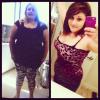
Goooooo follow me! I'm 2 months post op and I've lost 55 lbs!

@Itskariduh

  • 4 months later...

Join the conversation

You can post as a guest; create a free account to track replies, follow topics, and be part of the largest weight loss surgery community.

Join the conversation

You can post now and register later. If you have an account, sign in now to post with your account.

Guest
Reply to this topic...

Account

Navigation

Search

Search

Configure browser push notifications

Chrome (Android)
  1. Tap the lock icon next to the address bar.
  2. Tap Permissions → Notifications.
  3. Adjust your preference.
Chrome (Desktop)
  1. Click the padlock icon in the address bar.
  2. Select Site settings.
  3. Find Notifications and adjust your preference.