Skip to content
View in the app

A better way to browse. Learn more.

BariatricPal

A full-screen app on your home screen with push notifications, badges and more.

To install this app on iOS and iPadOS
  1. Tap the Share icon in Safari
  2. Scroll the menu and tap Add to Home Screen.
  3. Tap Add in the top-right corner.
To install this app on Android
  1. Tap the 3-dot menu (⋮) in the top-right corner of the browser.
  2. Tap Add to Home screen or Install app.
  3. Confirm by tapping Install.

Being Grateful

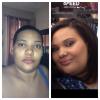
Sometimes you just aren't grateful for how at you may have come and you slip into depression moments!!! I found myself there this past week bc I felt I was eating to much and didn't loose enough in 3 months!!! Total lost about 65 pounds! My hubby Made this pic for me to make me realize and appreciate how far I have come!!! I still have a LONG way to go but I appreciate it all!!! Please excuse my wake up look lol!!!

post-199724-0-70858700-1392473397_thumb.jpg

  • Replies 4
  • Views 615
  • Created
  • Last Reply

Featured Replies

Wow! Good work! Looking great!

Your hubby is an amazing man to do that for you......you look happier and healthier..congrats girl...continue to kick it eh!!!!!

KEEP UP THE GOOD WORK!!!

Archived

This topic is now archived and is closed to further replies.

Trending Products

PatchAid Vitamin Patches

Account

Navigation

Search

Search

Configure browser push notifications

Chrome (Android)
  1. Tap the lock icon next to the address bar.
  2. Tap Permissions → Notifications.
  3. Adjust your preference.
Chrome (Desktop)
  1. Click the padlock icon in the address bar.
  2. Select Site settings.
  3. Find Notifications and adjust your preference.