Skip to content
View in the app

A better way to browse. Learn more.

BariatricPal

A full-screen app on your home screen with push notifications, badges and more.

To install this app on iOS and iPadOS
  1. Tap the Share icon in Safari
  2. Scroll the menu and tap Add to Home Screen.
  3. Tap Add in the top-right corner.
To install this app on Android
  1. Tap the 3-dot menu (⋮) in the top-right corner of the browser.
  2. Tap Add to Home screen or Install app.
  3. Confirm by tapping Install.

This.This.This.

  • Replies 15
  • Views 1.9k
  • Created
  • Last Reply

Featured Replies

HaHa, LOVE it!!!

Amazing

Love

Love this.

Love this!!!!!

Haha! No butter, I studied it too!

  • Author

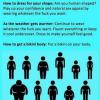
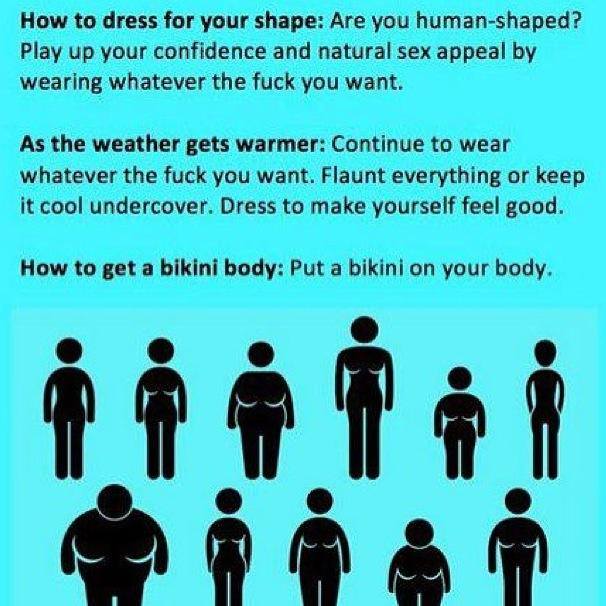
Am I the only one who studied that picture for a while trying to figure out which body was me?

Nope. It took me a few minutes, but I finally decided that you are the top row, fourth over from the left.

Thx for sharing LL, it's great.

Nope. It took me a few minutes, but I finally decided that you are the top row, fourth over from the left.

The tall one with the droopy boobs?

Am I the only one who studied that picture for a while trying to figure out which body was me?

Nope I just did it too!! Lmao

The tall one with the droopy boobs?

Well I'm the short one with em! I have had 6 kids an well... They over used em! Hahaha

Archived

This topic is now archived and is closed to further replies.

Account

Navigation

Search

Search

Configure browser push notifications

Chrome (Android)
  1. Tap the lock icon next to the address bar.
  2. Tap Permissions → Notifications.
  3. Adjust your preference.
Chrome (Desktop)
  1. Click the padlock icon in the address bar.
  2. Select Site settings.
  3. Find Notifications and adjust your preference.