Skip to content
View in the app

A better way to browse. Learn more.

BariatricPal

A full-screen app on your home screen with push notifications, badges and more.

To install this app on iOS and iPadOS
  1. Tap the Share icon in Safari
  2. Scroll the menu and tap Add to Home Screen.
  3. Tap Add in the top-right corner.
To install this app on Android
  1. Tap the 3-dot menu (⋮) in the top-right corner of the browser.
  2. Tap Add to Home screen or Install app.
  3. Confirm by tapping Install.
  • Appearance

Join BariatricPal free

  • Ask your own questions
  • Reply and follow topics
  • Message other members
  • No cost, no spam

Help!

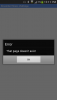
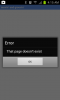
The Last page of each thread is not coming up for me. It keeps telling me that it doesn't exist.

  • Replies 27
  • Views 1.9k
  • Created
  • Last Reply

Top Posters In This Topic

Most Popular Posts

  • Sydney Susan
    Sydney Susan

    I go to threads and although the top page list has the last page highlighted and at the bottom of the page there is no "next" button, only "previous", the posts will be the first or some other page. I

Posted Images
Featured Replies

Yeah , I've been finding it too. I'm sure if I went on the computer it might be ok, but I'm usually on my phone. :(

I can't get to any recent pages...not good losing track if my April 2013 people. My advice is that they fix it fast. Getting ready to forget this whole site.

We've fixed this issue. Restart the BariatricPal app on your device and you should be good to go! Please respond to this thread and let me know if you're still having any issues.

post-164434-0-25609300-1384194026_thumb.png

[ATTACH]37113[/ATTACH]

Alex I'm still having this issue. I uninstalled and re installed a moment ago

<br><br><br><br> <br><br> Alex I'm still having this issue. I uninstalled and re installed a moment ago

That's quite odd! Are you receiving this error constantly ? Can you provide me with the thread that gave you this error please ?

That's quite odd! Are you receiving this error constantly ? Can you provide me with the thread that gave you this error please ?

Im getting that same error on anything besides page 1 of any thread. I've tried several threads in basic, main, and rants and raves.

I just downloaded the app tonight becsuse I had to switch from iPhone to samsung android.

We've fixed this issue. Restart the BariatricPal app on your device and you should be good to go! Please respond to this thread and let me know if you're still having any issues.

I did this as well and I'm still not able to jump to the last page and/or see my post.

I go to threads and although the top page list has the last page highlighted and at the bottom of the page there is no "next" button, only "previous", the posts will be the first or some other page. I have to select the second last numbered page, wait for it to load, then select the last page again, and then it will be ok. This happened several times in the last 20 mins.

Also, subscriptions are all over the place - done there, some not, some auto subscribe when I post to them but others don't.

Also, sick to death of seeing the "current threads" choc full of stuff that has no relationship to me (lap band and bypass). I've asked several times but am still waiting for a reply - are we going to be able to customise what we see or is the way of the future?

I am soooo unhappy about these changes. One of my favourite sites has become bland and the posters and action I liked to follow are just lost. I really think you made a terrible decision here and need to re-think it. And the fix is taking waaaay too long.

Just created a thread and wasn't automatically subscribed to it. Had to manually do it.

I mostly use the iPhone app version and am now having another problem. I haven't had a notification of a posting to something I'm following but the app icon has the number 1 on it - suggesting one notification. When I open the app there no threads in my subscribed groups showing as having new posts but on the "more" page it says there are 3 new postings.

Totally confusing.

That's quite odd! Are you receiving this error constantly ? Can you provide me with the thread that gave you this error please ?

I am having the same issue

That's quite odd! Are you receiving this error constantly ? Can you provide me with the thread that gave you this error please ?

It's every thread

That's quite odd! Are you receiving this error constantly ? Can you provide me with the thread that gave you this error please ?

I deleted and reactivate and still having the same issues

I'm having the same problem on my samsung app.

Join the conversation

You can post as a guest; create a free account to track replies, follow topics, and be part of the largest weight loss surgery community.

Join the conversation

You can post now and register later. If you have an account, sign in now to post with your account.

Guest
Reply to this topic...

Account

Navigation

Search

Search

Configure browser push notifications

Chrome (Android)
  1. Tap the lock icon next to the address bar.
  2. Tap Permissions → Notifications.
  3. Adjust your preference.
Chrome (Desktop)
  1. Click the padlock icon in the address bar.
  2. Select Site settings.
  3. Find Notifications and adjust your preference.