Skip to content
View in the app

A better way to browse. Learn more.

BariatricPal

A full-screen app on your home screen with push notifications, badges and more.

To install this app on iOS and iPadOS
  1. Tap the Share icon in Safari
  2. Scroll the menu and tap Add to Home Screen.
  3. Tap Add in the top-right corner.
To install this app on Android
  1. Tap the 3-dot menu (⋮) in the top-right corner of the browser.
  2. Tap Add to Home screen or Install app.
  3. Confirm by tapping Install.

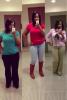
My after surgery pic

These I just recently took this past week! ????

post-58214-13838396860729_thumb.jpg

  • Replies 6
  • Views 1.2k
  • Created
  • Last Reply

Featured Replies

Hey Dionna what was your starting weight? whats your goal weight?

These I just recently took this past week!

Hey Dionna what was your starting weight? whats your goal weight?

post-58214-13838396860729_thumb.jpg

I love it! You look beautiful!

  • Author

My SW: 260 CW: 180 GW: 130ish! And thank you guys it's been kind of a struggle but I'm not giving up.

My SW: 260 CW: 180 GW: 130ish! And thank you guys it's been kind of a struggle but I'm not giving up.
Ok I am 5 weeks out and I was 258 SW and at my 1 week post op I was 242. I have yet to weigh again due to my scale at home isn't working. But I can tell in my clothes. Keep up the good work you look good!

Archived

This topic is now archived and is closed to further replies.

Trending Products

PatchAid Vitamin Patches

Account

Navigation

Search

Search

Configure browser push notifications

Chrome (Android)
  1. Tap the lock icon next to the address bar.
  2. Tap Permissions → Notifications.
  3. Adjust your preference.
Chrome (Desktop)
  1. Click the padlock icon in the address bar.
  2. Select Site settings.
  3. Find Notifications and adjust your preference.