Skip to content
View in the app

A better way to browse. Learn more.

BariatricPal

A full-screen app on your home screen with push notifications, badges and more.

To install this app on iOS and iPadOS
  1. Tap the Share icon in Safari
  2. Scroll the menu and tap Add to Home Screen.
  3. Tap Add in the top-right corner.
To install this app on Android
  1. Tap the 3-dot menu (⋮) in the top-right corner of the browser.
  2. Tap Add to Home screen or Install app.
  3. Confirm by tapping Install.

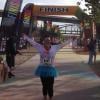
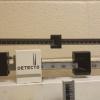
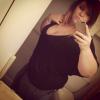
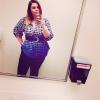
3months out and 95lbs down!

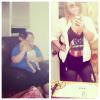
My starting weight was 345 I'm now three months out and just hit 250! It's crazy how different I feel and how my confidence has just risen! It also makes me so sad to see how different ppl treat me. But overall so happy I'm getting healthy and making this life long change at 18.

post-33524-13813812566758_thumb.jpg

post-33524-13813812563843_thumb.jpg

post-33524-13813812564745_thumb.jpg

post-33524-13813812565824_thumb.jpg

  • Replies 14
  • Views 2k
  • Created
  • Last Reply

Featured Replies

You look amazing!!! Congratulations and keep it up :)

Woo Congrats! :)

Congrats :)

Fantastic!

You look amazing! Good job!

You look amazing!!! Do not let them people get you down! You are getting healthy and feeling confident, keep up the great work!

OMG, you look wonderful.... Best wishes to you. A complete transformation. You must be so proud of yourself and rightly so.

Archived

This topic is now archived and is closed to further replies.

Account

Navigation

Search

Search

Configure browser push notifications

Chrome (Android)
  1. Tap the lock icon next to the address bar.
  2. Tap Permissions → Notifications.
  3. Adjust your preference.
Chrome (Desktop)
  1. Click the padlock icon in the address bar.
  2. Select Site settings.
  3. Find Notifications and adjust your preference.