Skip to content
View in the app

A better way to browse. Learn more.

BariatricPal

A full-screen app on your home screen with push notifications, badges and more.

To install this app on iOS and iPadOS
  1. Tap the Share icon in Safari
  2. Scroll the menu and tap Add to Home Screen.
  3. Tap Add in the top-right corner.
To install this app on Android
  1. Tap the 3-dot menu (⋮) in the top-right corner of the browser.
  2. Tap Add to Home screen or Install app.
  3. Confirm by tapping Install.

Question about gum

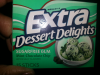
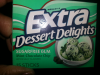
Can a person still chew gum after RNY? Between that and my coffee-it is my life!!

  • Replies 8
  • Views 818
  • Created
  • Last Reply

Featured Replies

Well no. The chewing can add air to the pouch. I miss it! But small price to pay.

Can a person still chew gum after RNY? Between that and my coffee-it is my life!!

I was told "absolutely no gum". It was explained to me, that on the off chance it was swallowed it could possibly have to be surgically removed due to the small opening into our intestines.

That was enough for me to toss the Juicy Fruit.

  • Author

well, I guess I will chew the heck out of it now and stick to coffee.

I was told sugarfree only and to stop if it caused gas

UGH Never thought about it getting stuck!

They said no gum no cigarettes no caffeine ever after surgery. Gum and straws cause gas and air in your new stomach. And that will cause irritation and un needed pain.

I was told sugar free and trident sized in case of swallowing it

I was told sugar free gum was fine.... I haven't swallowed gum since I was kid.. so I'm pretty sure you'll be ok... Just stop chewing if you get gassy.. But it's still up to you and your surgeon!

post-27442-13813811030709_thumb.png

post-27442-13813811031251_thumb.png

Archived

This topic is now archived and is closed to further replies.

Trending Products

PatchAid Vitamin Patches

Account

Navigation

Search

Search

Configure browser push notifications

Chrome (Android)
  1. Tap the lock icon next to the address bar.
  2. Tap Permissions → Notifications.
  3. Adjust your preference.
Chrome (Desktop)
  1. Click the padlock icon in the address bar.
  2. Select Site settings.
  3. Find Notifications and adjust your preference.