Skip to content
View in the app

A better way to browse. Learn more.

BariatricPal

A full-screen app on your home screen with push notifications, badges and more.

To install this app on iOS and iPadOS
  1. Tap the Share icon in Safari
  2. Scroll the menu and tap Add to Home Screen.
  3. Tap Add in the top-right corner.
To install this app on Android
  1. Tap the 3-dot menu (⋮) in the top-right corner of the browser.
  2. Tap Add to Home screen or Install app.
  3. Confirm by tapping Install.

Update Pics...

Couldn't find the thread with pic updates so starting a new one...

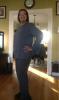
Here is me day of surgery...

Here is me 4 months later... Picking out my new bathing suit!!!

post-10991-1381380960087_thumb.jpg

post-10991-13813809601254_thumb.jpg

  • Replies 57
  • Views 7.1k
  • Created
  • Last Reply

Featured Replies

Hot vamp! Sookie from tru blood? ;)

Thanks!! I wish I was Sookie!!! Btw can't wait for True Blood on Sunday!! Hells yea!!

Omg I love tru blood! Dvr will be set!!!!

  • 2 weeks later...

At seven weeks

post-15765-13813809724958_thumb.jpg

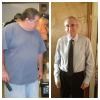
Went down in dress shirt sizes from 19 1/2 for big and tall to 17 slim fit.

post-15765-13813809725219_thumb.jpg

Went down in dress shirt sizes from 19 1/2 for big and tall to 17 slim fit.

Looking good

Right is day of surgery. Left is current @ 8 weeks post op.

Starting weight 335. Current weight 270.

post-15765-13813809729074_thumb.jpg

Great Jon aaravl

You all look amazing, I bet your feeling amazing too!

Right is day of surgery. Left is current @ 8 weeks post op.

Starting weight 335. Current weight 270.

Omg the difference is incredible!!

Sent from my iPhone using RNYTalk

  • 9 months later...

Here is a more recent pic of me.

post-15765-13813811827804_thumb.jpg

Here is a more recent pic of me.

Your looking so hot!!! I gotta open the window lmbo

Archived

This topic is now archived and is closed to further replies.

Trending Products

PatchAid Vitamin Patches

Account

Navigation

Search

Search

Configure browser push notifications

Chrome (Android)
  1. Tap the lock icon next to the address bar.
  2. Tap Permissions → Notifications.
  3. Adjust your preference.
Chrome (Desktop)
  1. Click the padlock icon in the address bar.
  2. Select Site settings.
  3. Find Notifications and adjust your preference.