Skip to content
View in the app

A better way to browse. Learn more.

BariatricPal

A full-screen app on your home screen with push notifications, badges and more.

To install this app on iOS and iPadOS
  1. Tap the Share icon in Safari
  2. Scroll the menu and tap Add to Home Screen.
  3. Tap Add in the top-right corner.
To install this app on Android
  1. Tap the 3-dot menu (⋮) in the top-right corner of the browser.
  2. Tap Add to Home screen or Install app.
  3. Confirm by tapping Install.

Apple shape

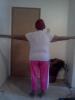
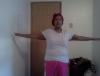
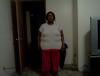
post-34697-13813670296318_thumb.jpgpost-34697-1381367029778_thumb.jpgpost-34697-13813670298637_thumb.jpgpost-34697-13813670299481_thumb.jpgpost-34697-13813670300327_thumb.jpgOk i decide to show some before pics i think its about time this s for all those apple shaped woman out there.

I started at 254 day of sugery 3-12-13 i was 230 as of today 162 i am 5ft 15

  • Replies 10
  • Views 6.5k
  • Created
  • Last Reply

Featured Replies

You look great!

  • Author

I posted in the wrong section im still on my journey im not even close to sucess yet i'm 5ft1

still need to lose 22 pounds then tackle this apron among other areas

I posted in the wrong section

Oh Noooo :angry::o

People have been shot for less :lol:

you're doing great :)

nice pics -what a difference!!!! :unsure:

keep up the good work :)

kathy

congrats

Ok i decide to show some before pics i think its about time this s for all those apple shaped woman out there.

I started at 254 day of sugery 3-12-13 i was 230 as of today 162 i am 5ft 15

You look great...keepup the good work

Wow big difference. You look great. Hey- you are still a success, you are just a success still in progress.

Thanks you for all the nice words

Wow. What a difference. You look fabulous. I bet you feel great too. Great inspiration.

You look Awsume keep up the great work, I can't wait until I joined you .

Archived

This topic is now archived and is closed to further replies.

Trending Products

PatchAid Vitamin Patches

Account

Navigation

Search

Search

Configure browser push notifications

Chrome (Android)
  1. Tap the lock icon next to the address bar.
  2. Tap Permissions → Notifications.
  3. Adjust your preference.
Chrome (Desktop)
  1. Click the padlock icon in the address bar.
  2. Select Site settings.
  3. Find Notifications and adjust your preference.