Skip to content
View in the app

A better way to browse. Learn more.

BariatricPal

A full-screen app on your home screen with push notifications, badges and more.

To install this app on iOS and iPadOS
  1. Tap the Share icon in Safari
  2. Scroll the menu and tap Add to Home Screen.
  3. Tap Add in the top-right corner.
To install this app on Android
  1. Tap the 3-dot menu (⋮) in the top-right corner of the browser.
  2. Tap Add to Home screen or Install app.
  3. Confirm by tapping Install.
  • Cart

Overweight!

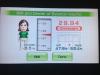
Not obese! According to my wii anyway!

I hit Onederland and under 30 BMI today

7 weeks post op- it's been at least 12 yrs since I was this weight.

We just got back from Orlando and I guess all the walking and heat paid off ;)

Sleeved 5/23/13

High 253

SW 226

CW 197

Goal 160

So excited!!!!

post-58020-13813667670196_thumb.jpg

  • Replies 2
  • Views 553
  • Created
  • Last Reply

Featured Replies

Way to go!', congrats!

Also- thanks for posting, You just reminded me that i have a scale with my wii! My bathroom scale broke and I thought i was going to have to buy a new one :)

Archived

This topic is now archived and is closed to further replies.

Trending Products

PatchAid Vitamin Patches

Account

Navigation

Search

Search

Configure browser push notifications

Chrome (Android)
  1. Tap the lock icon next to the address bar.
  2. Tap Permissions → Notifications.
  3. Adjust your preference.
Chrome (Desktop)
  1. Click the padlock icon in the address bar.
  2. Select Site settings.
  3. Find Notifications and adjust your preference.